







One wrong step, one giant wobble, one hilarious faceplant.In Wacky Steps, even walking in a straight line feels like a full-blown challenge.
Here's a quick look at the game:
What is Wacky Steps?
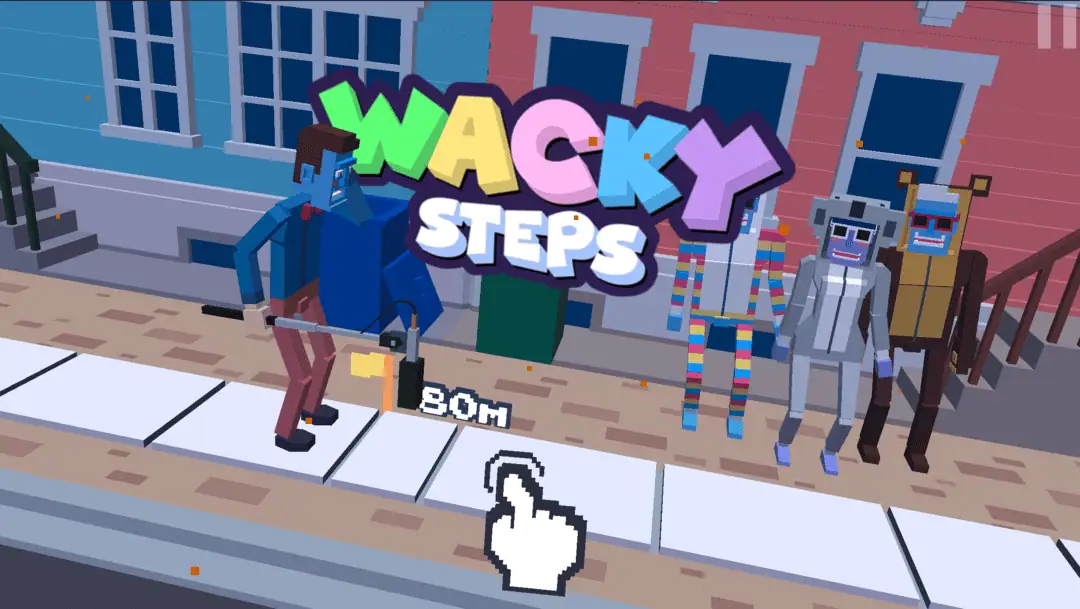
Wacky Steps is a physics-based browser game that turns a basic everyday action into a goofy skill test. Instead of racing at full speed or smashing through enemies, you are doing something much more dangerous: trying to walk without embarrassing yourself. The catch is that your character moves with floppy, awkward ragdoll energy, so every step feels unstable in the funniest possible way.
The main goal is simple. Keep moving forward, avoid sidewalk cracks, and survive long enough to build distance and score. That sounds easy for about three seconds. Then the wobble kicks in, your stride gets weird, and the road starts throwing hazards at you. Suddenly, the humble act of walking becomes a tiny drama full of bad balance, risky timing, and comic disaster.
What makes Wacky Steps stand out is how it mixes low-stakes comedy with real mechanical tension. You are not memorizing huge combos or learning a giant ruleset. You are just learning how to place the next step without overcommitting. That tiny decision repeats again and again, and somehow it stays funny, tense, and weirdly satisfying.
Wacky Steps Game Overview
| Item | Details |
|---|---|
| Title | Wacky Steps |
| Developer / Publisher | AZGames |
| Genre | Casual, Arcade, Physics, Walking Simulator |
| Core Mechanics | Step timing, stride control, balance management, hazard avoidance |
| Platform | Web browser |
| Price | Free to play online |
| Technology | HTML5 / Unity WebGL |
| Supported Devices | Desktop, mobile, tablet |
| Visual Style | Blocky, cartoonish, ragdoll-style humor |
These labels fit the game best: physics-based walking, arcade challenge, browser play, and ragdoll comedy.
How to Play Wacky Steps
At its core, Wacky Steps is about controlling movement with care. A tap or click makes your character step forward, and holding a little longer creates a bigger stride. That sounds wonderfully simple until you realize that both extremes can ruin a run. Too short, and you fail to clear danger. Too long, and your character stretches into a clumsy collapse.
The road is not safe, either. Sidewalk cracks are a constant threat, and some versions also mention extra hazards such as traffic, traps, gaps, explosive tiles, or unstable sections of pavement. So you are not just walking. You are reading the ground, adjusting your rhythm, and deciding how bold your next step should be.
Coins appear along the route as an extra reward for staying alive and moving well. They also add a light progression hook, since they can be used to unlock things like new characters, outfits, or environments.
The Safe Way to Play Wacky Steps
If you prefer control over chaos, Wacky Steps can feel like a rhythm game in disguise. This style is all about patience.
You watch the pavement ahead, keep your taps short, and focus on clean foot placement instead of flashy distance. You accept that a slower run is still a good run if it stays alive. This approach works especially well when the road gets busy, because short steps give you more chances to correct mistakes. The game rewards calm hands more than panic reactions.
This is also the better style for learning the game. In your first few runs, the smartest move is not trying to look clever. It is just building a feel for how long a press should last and how quickly your character loses balance when you get greedy.
The Chaotic Way to Play Wacky Steps
Then there is the other path: the "I can totally make that step" path.
This style is faster, riskier, and much more likely to end with your character folding like a broken toy. You take longer strides, push harder through danger, and try to grab more distance before the road punishes you. It is messier, but it can also be more exciting because every successful recovery feels like stolen victory.
Wacky Steps is at its best when it creates this tension between caution and overconfidence. The game keeps tempting you to stretch just a little farther. Sometimes that bold step carries you cleanly over trouble. Sometimes it sends you into one of the dumbest falls you have seen in a browser game. Either way, it feels exactly right for this kind of game.
Wacky Steps Controls
| Control | Action |
|---|---|
| Left Click / Tap | Take a step |
| Hold Click / Hold Tap | Make a longer stride |
| Short Tap | Safer, smaller step |
| Spacebar | Step forward on supported desktop versions |
The core idea is simple: short taps for control, longer holds for riskier movement.
Why Wacky Steps Feels So Addictive
A lot of browser games are built around speed. Wacky Steps is built around instability.
That small shift changes everything. The fun is not in moving fast. The fun is in never feeling fully safe. Even a normal stretch of sidewalk can become a trap if your timing is off. That creates a loop where every little improvement matters. A cleaner tap. A better read of the road. A calmer reaction to a hazard. The game makes you feel progress in tiny pieces, and that is exactly why it keeps pulling you back in.
It also helps that failure is funny. Because of the exaggerated movement and floppy animation, losing does not feel harsh. It feels ridiculous. You are usually annoyed for half a second and then instantly ready for another run. That replay energy is a big part of the appeal.
Unlockable Content
Characters and Badges
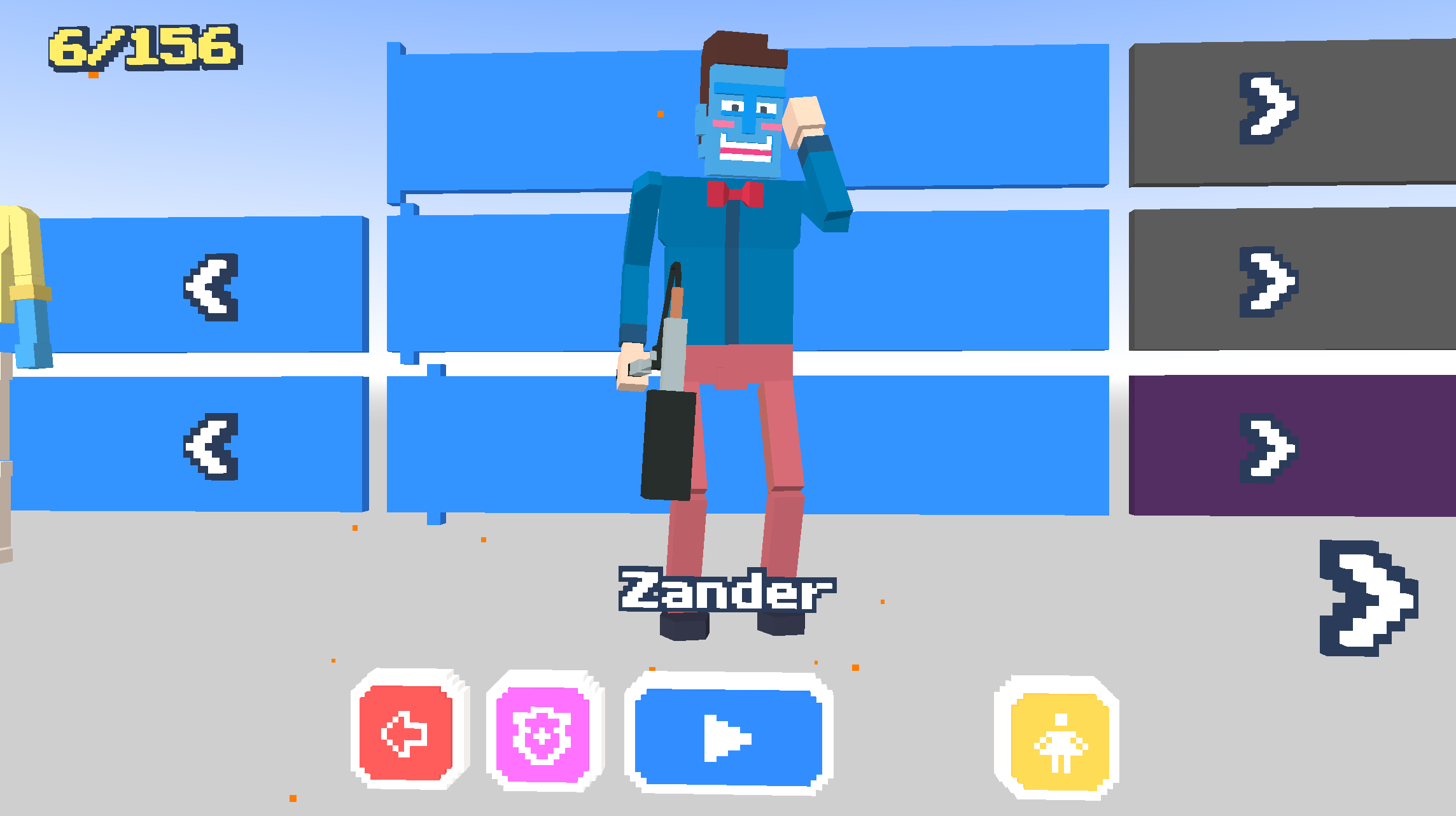
Featuring dozens of unlockable characters and badges, each character is composed of three distinct parts: a head, an upper body, and a lower body. You aren't restricted to using a single character's complete outfit; instead, you are free to mix and match these parts to create your own unique look.
Swapping heads grants you different character voice lines, changing your upper body unlocks special actions, and altering your lower body attire produces unique walking sound effects—such as the clanking of metal armor.
And badges? Oh! You can proudly display them on your chest.
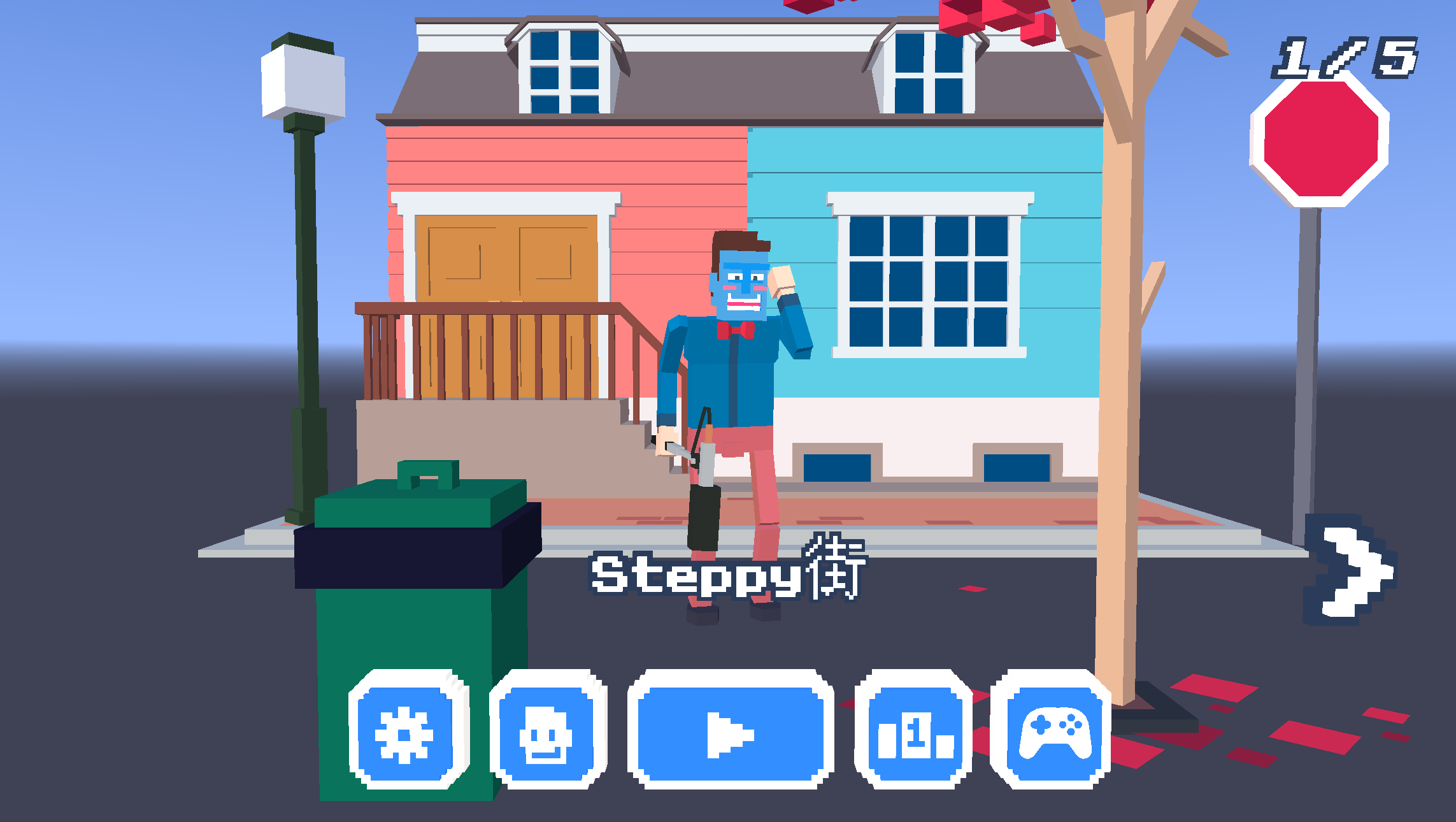
Environments
The game features a variety of distinct environments, culminating in an ultimate challenge. These stages offer far more than just a simple change of scenery; each presents its own unique set of obstacles and trials.
For instance, in the "Steppy Streets" environment, vehicles will cross your path at intersections to impede your progress; meanwhile, in the "Floor Is Lava" stage, you must contend with erupting lava and collapsing floor tiles.
Wacky Steps Tips
Treat short steps as your default
Long strides are tempting, but they are usually the reason a solid run turns into chaos. Start with shorter, more controlled movement and only stretch when the road clearly asks for it.
Play by rhythm, not by panic
The game looks silly, but rhythm matters. When you rush because you see a crack or obstacle too late, you usually overstep. Staying calm gives you better timing and cleaner placement.
Look one hazard ahead
Do not focus only on the foot you are placing now. Scan the next crack, gap, or moving problem before you commit. Wacky Steps gets easier once you think in pairs of steps instead of single reactions.
Do not chase every coin
Yes, coins are useful. Yes, unlocks are fun. But if a coin asks for a risky angle or an overlong step, let it go. A living run is worth more than one greedy stumble.
Learn what your collapse looks like
One useful trick in Wacky Steps is recognizing the moment your character starts to overextend. After a few runs, you will notice the body language before a fall: the awkward lean, the stretched leg, the delayed landing. Once you can spot that visual cue, you become much better at preventing disaster on the next attempt.
FAQ About Wacky Steps
Is Wacky Steps free to play?
Yes. Wacky Steps is a free browser game that you can play online without downloading anything.
Is Wacky Steps an endless game?
It is best described as an endless distance-based arcade game where the goal is to keep walking as far as possible while hazards become a bigger problem over time.
Does Wacky Steps have simple controls?
Yes, but simple does not mean easy. The basic input is click or tap to step, with hold length affecting stride distance. The challenge comes from timing, balance, and hazard reading.
Can you unlock characters or cosmetics in Wacky Steps?
Yes. Coins can be used to unlock new characters, outfits, and sometimes environments, giving you more reasons to keep playing.
Is Wacky Steps relaxing or difficult?
Both, in a weird way. The art and concept are light and funny, but the actual walking mechanic is demanding. If you like games that look casual but secretly test precision, this one hits a very fun middle ground.