






Play Police Drive online, complete city missions, chase suspects, unlock police cars and motorbikes, and improve your driving skills.
Here's a quick look at the game:
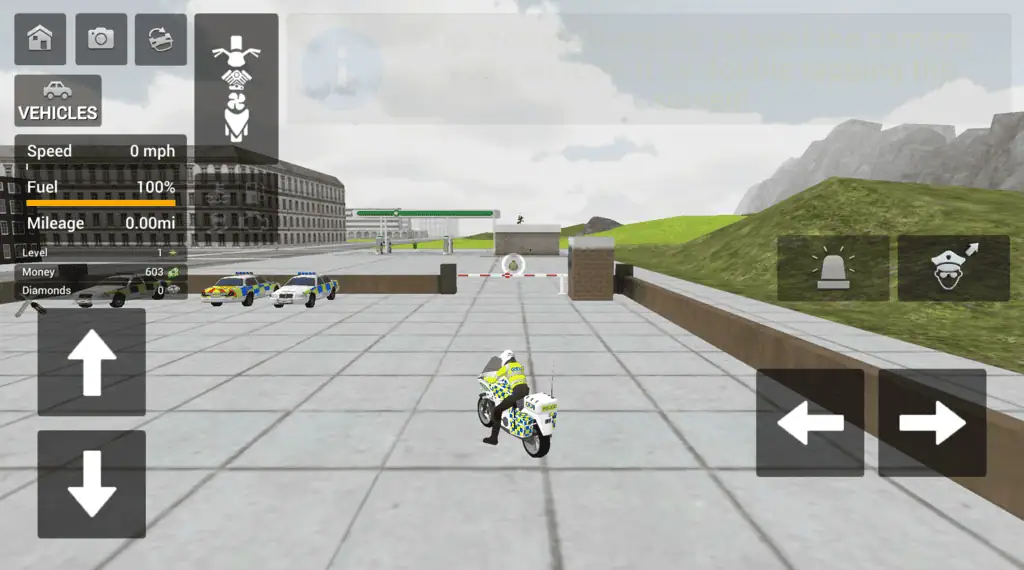
Police Drive is a 3D police driving game built around city patrols, emergency missions, and vehicle progression. You choose a police car or motorbike, follow the mission marker, reach the target area, and complete objectives while managing traffic, fuel, damage, and vehicle handling.
What Is Police Drive?
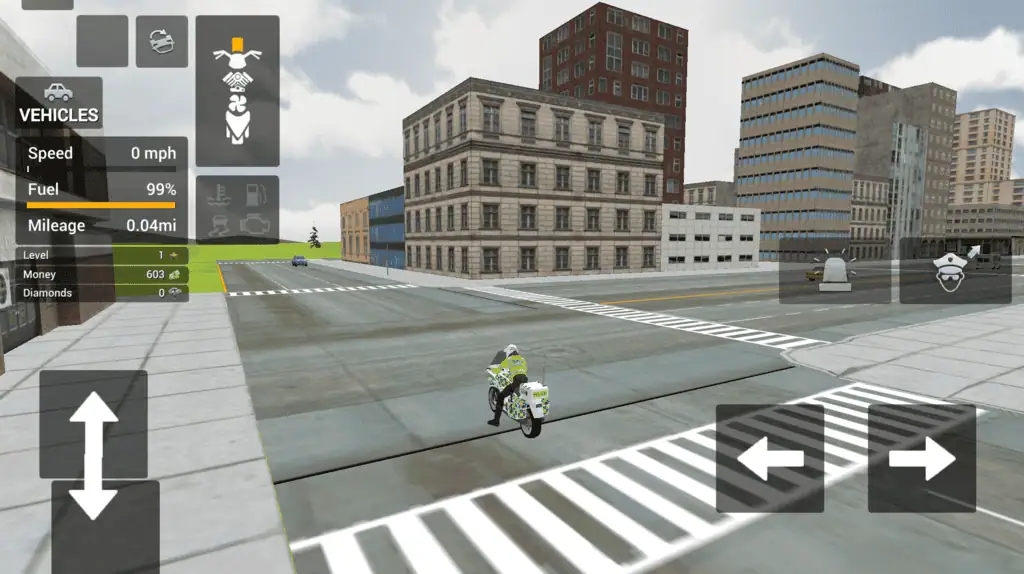
Police Drive places you behind the wheel of a law-enforcement vehicle in a large city environment. Instead of racing around a closed circuit, you travel through streets filled with intersections, buildings, traffic, and different routes to each objective.
The main gameplay loop is simple: select a vehicle, accept a mission, follow the guiding arrow, and complete the assigned task. Missions may involve pursuing a fleeing criminal, reaching a suspect, responding to a hostage situation, or patrolling part of the city.
Finishing missions gives you money and experience. These rewards let you unlock additional police cars and motorbikes or improve the performance of vehicles you already own. Better equipment becomes useful as missions demand faster travel, tighter turns, and more reliable control.
Speed matters in Police Drive, but driving at maximum speed all the time is rarely the safest approach. Crashes can damage your vehicle, interrupt your route, and make it harder to reach the objective before your resources run out.
Game Overview
| Feature | Details |
|---|---|
| Genre | 3D driving, action, and police simulation |
| Main objective | Respond to missions and stop criminal activity |
| Vehicles | Police cars and police motorbikes |
| Environment | Large city with traffic and multiple routes |
| Progression | Earn money and EXP by completing missions |
| Vehicle systems | Speed, handling, durability, condition, and fuel |
| Controls | WASD or Arrow Keys, plus the left mouse button |
| Play format | Online browser game |
How to Play Police Drive
When you begin Police Drive, choose an available police vehicle and enter the city. Your current objective is shown through an on-screen direction marker or guiding arrow. Follow it until you reach the incident or catch up with the target.
Driving to the location is only the first part of many missions. A pursuit may continue after you reach the marked area, while an arrest or rescue objective may require you to position the vehicle correctly and interact with the scene.
Follow the Mission Direction
The guiding arrow is your main navigation tool. Watch it before entering an intersection so you have time to move into the correct lane and prepare for the next turn.
Avoid staring only at the arrow. You also need to watch the road, nearby traffic, obstacles, and your vehicle’s current condition. Missing a turn usually costs less time than crashing at full speed.
Police Drive gives you room to choose your own path through the city. The most direct route is not always the fastest when it contains tight corners or heavy traffic. A slightly longer road may let you maintain speed and arrive with less damage.
Complete Different Mission Types
Police Drive uses mission objectives rather than traditional racing laps. The exact actions can change depending on the incident.
Criminal pursuits ask you to catch a moving target. Maintain enough speed to stay close, but slow down before sharp turns so the suspect does not gain distance while you recover from a crash.
Suspect arrest missions require you to reach a location and approach the target. Positioning and interaction become more important than simply driving through the marker at maximum speed.
Hostage rescue missions focus on reaching the destination quickly and safely. A clean route can be more effective than aggressive driving that leaves your vehicle badly damaged.
Patrol-style missions send you through parts of the city and may involve several locations. Fuel management and consistent driving become more important during longer assignments.
Police Cars and Motorbikes
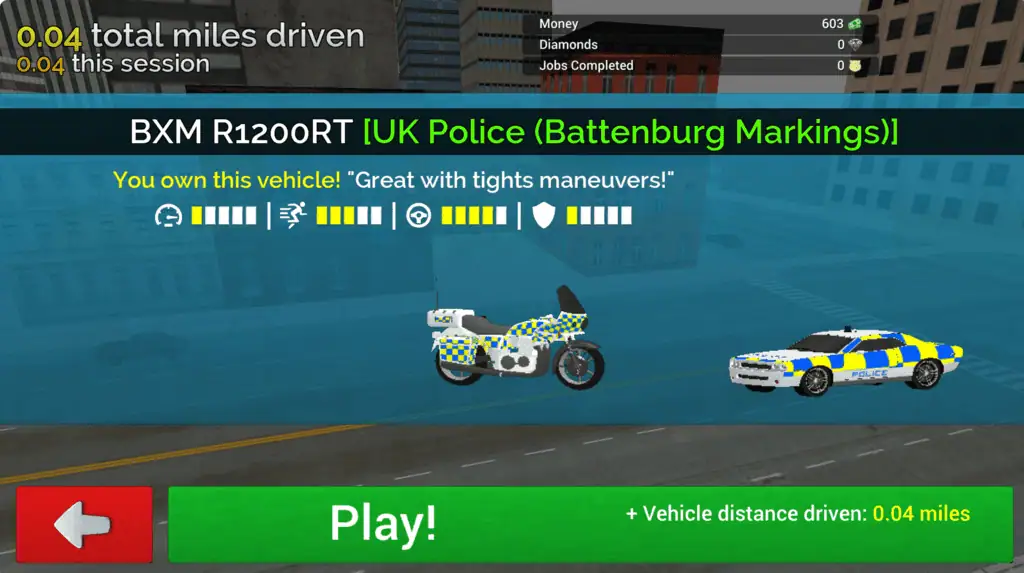
Police Drive includes both cars and motorbikes, giving you two noticeably different ways to move through the city.
Police cars are generally easier to keep stable at speed. Their larger size can make narrow gaps difficult, but they are a practical choice when you want predictable handling and greater protection from repeated impacts.
Motorbikes are narrower and can move through traffic more easily. They are useful when the route contains crowded roads, frequent turns, or small openings. However, careless collisions can be more difficult to recover from.
Do not select a vehicle based only on its top speed. In Police Drive, acceleration, turning response, durability, and fuel use can be just as important. A controllable vehicle often completes more missions than a faster vehicle that crashes at every corner.
Money, EXP, and Vehicle Upgrades
Successful missions reward money and experience. This progression system gives you a reason to complete additional assignments instead of driving around the city without an objective.
Money can be used to unlock vehicles or improve performance. Available upgrades focus on practical driving qualities such as speed, handling, durability, and fuel efficiency.
A balanced upgrade plan works well during the early part of Police Drive. Handling helps you make city turns more consistently, while durability reduces the cost of small mistakes. Speed becomes more valuable once you can control the vehicle without frequent collisions.
Fuel-related improvements can help during longer patrols or missions with several destinations. They may be less urgent during short assignments, so consider the types of missions that currently cause you the most trouble.
Controls
Police Drive uses familiar keyboard driving controls. You can choose either WASD or the Arrow Keys.
| Action | Control |
|---|---|
| Accelerate | W or Up Arrow |
| Brake or reverse | S or Down Arrow |
| Steer left | A or Left Arrow |
| Steer right | D or Right Arrow |
| Enter a vehicle | Left Mouse Button |
| Use police equipment or interact | Left Mouse Button |
The left mouse button can perform different actions depending on your current position and mission. Look for visual prompts when you reach an objective or stand near an interactive vehicle.
Touch-control availability may depend on the website and device used to load Police Drive. Desktop play offers the clearly listed keyboard and mouse control scheme.
Tips for Better Police Drive Missions
Brake Before You Turn
Do not wait until the vehicle is already inside a corner to reduce speed. Release the accelerator or brake before turning, steer through the corner, and accelerate again once the vehicle points toward the next road.
This technique is especially important for police cars, which need more space to change direction than motorbikes.
Keep Checking Fuel and Condition
Your route is not successful if you reach the target with a vehicle that can no longer continue the mission. Check your fuel, health, and vehicle condition whenever the road becomes straight and safe.
Avoid unnecessary crashes during the first part of a mission. Later stages may include a pursuit or another objective that requires the remaining durability.
Use the Arrow as an Early Warning
Treat the guiding arrow as a warning about your next direction, not as a command to turn immediately. Watch how it changes while you approach an intersection.
When it begins pointing sharply left or right, move into a better road position and reduce speed before reaching the corner.
Learn the City Layout
Repeated Police Drive missions help you recognize major roads, useful intersections, and common target areas. Remember routes that provide wide turns and fewer obstacles.
Map knowledge also helps during chases. Instead of following directly behind a suspect, you may be able to use a parallel road and intercept the target farther ahead.
Upgrade Control Before Chasing Maximum Speed
Extra speed is useful only when you can keep the vehicle on the road. Early handling and durability improvements make Police Drive more consistent and reduce the number of missions lost to avoidable collisions.
Once turning and recovery feel reliable, invest more heavily in acceleration and top speed.
Choose Vehicles for the Route
Use a motorbike when traffic and narrow streets are the main challenge. Choose a police car when stability and damage resistance matter more.
Try both vehicle types before spending all your money. The most expensive option is not automatically the best choice for every Police Drive objective.