






Destroy planets with lasers, meteors, black holes, spacecraft, and more in Solar Smash, a physics-based space destruction sandbox.
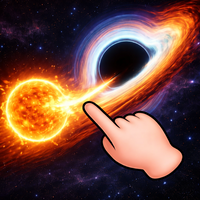
Here's a quick look at the game:
Solar Smash is a physics-based destruction sandbox where you choose a planet or star system and experiment with powerful cosmic weapons. Instead of completing missions or fighting a final boss, you decide what to destroy, where to attack, and how different weapons affect planets, moons, stars, and orbital systems.
What Is Solar Smash?
Solar Smash is a space simulation game developed by Paradyme Games. Its main idea is simple: choose a celestial body, select a destructive tool, aim at a target, and watch the simulation react.
The game includes two major ways to experiment with destruction: Planet Smash and Solar System Smash. Planet Smash focuses on individual worlds, while Solar System Smash lets you interact with complete planetary systems, orbital movement, collisions, and gravity.
There is no single correct way to play Solar Smash. You can cut through a planet with lasers, bombard one area with missiles, cause meteor impacts, summon black holes, launch spacecraft attacks, or test defensive tools.
The fun comes from experimentation. You are not only trying to destroy a planet as quickly as possible. You can also test how different weapons behave, compare damage patterns, and create unusual chain reactions.
Game Overview
| Feature | Details |
|---|---|
| Game | Solar Smash |
| Developer | Paradyme Games |
| Genre | Simulation / Sandbox / Destruction |
| Main Goal | Experiment with planets, weapons, gravity, and destruction |
| Main Modes | Planet Smash and Solar System Smash |
| Weapons | More than 50 tools and attacks |
| Examples | Lasers, meteors, nukes, black holes, UFOs, railguns |
| Defensive Tools | Shields and defensive systems |
| Multiplayer | Single-player |
| Offline Play | Supported |
| Mobile | Android, iPhone, and iPad |
| PC | Available through supported Windows options |
| Browser Play | Available through supported cloud gaming services |
How to Play Solar Smash
Solar Smash is easy to start because most actions use direct selection and aiming.
A typical session follows a simple loop:
- Choose a planet or system.
- Select a weapon.
- Aim at a target.
- Activate the attack.
- Watch the damage.
- Switch weapons or reset the simulation.
The controls are simple, but the different weapons give you many ways to experiment.
Choose a Planet
In Planet Smash, begin by selecting the world you want to attack.
Once the planet appears, rotate it and look at the surface before launching your first weapon. Choosing a clear target area makes it easier to understand how much damage each attack causes.
You can focus on one section, spread damage across the surface, or try to destroy the entire planet.
Select a Weapon
Open the weapon menu and choose the type of attack you want to use.
Solar Smash includes many destructive tools, including:
- Lasers
- Meteors
- Nuclear weapons
- Missiles
- Black holes
- UFOs
- Spacecraft
- Railguns
- Orbital weapons
- Large cosmic attacks
Different weapons behave in different ways.
A laser is useful for precise damage. Meteors create impact-based destruction. Missiles can hit specific areas, while black holes create much larger gravitational effects.
Some tools are designed for direct destruction, while others are better for creating unusual simulations.
Aim at the Surface
After choosing a weapon, tap or click the part of the planet you want to attack.
Some attacks happen immediately. Others launch projectiles or create effects that continue for several seconds.
If you want to understand a weapon properly, avoid firing many attacks at once. Use one weapon, wait for the effect to finish, and then inspect the damage.
Rotate the Planet
Do not keep attacking only the side facing the camera.
Rotate the planet after major strikes and check the opposite side. You may find cracks, holes, burning areas, or untouched regions that were hidden from view.
This is especially useful when you are trying to destroy the planet evenly.
Reset and Try Again
Solar Smash lets you restart the simulation whenever you want.
Resetting is useful when you want to compare two weapons under similar conditions. Instead of attacking an already damaged planet, start with a fresh world and test each tool separately.
Planet Smash Mode
Planet Smash is the main destruction mode in Solar Smash.
You focus on a single planet and attack it using the available weapons. You can destroy the world quickly or experiment with controlled damage.
For example, you can repeatedly target one location with a laser to create a deep hole. You can then switch to meteors or missiles and compare how those attacks affect the same type of surface.
You can also combine different tools.
Try damaging one side with conventional weapons before using a larger cosmic attack. You can also test shields before launching an attack to see how the defenses change the result.
Planet Smash works best when you treat each planet as an experiment rather than simply trying to destroy it as fast as possible.
Solar System Smash Mode
Solar System Smash increases the scale of the simulation.
Instead of focusing on one planet, you can interact with complete planetary systems. This allows you to experiment with orbits, collisions, gravity, and large celestial objects.
You can create situations where planets collide with one another or introduce a black hole that changes the movement of nearby objects.
This mode feels different from Planet Smash because you are not always directly attacking a surface.
Sometimes the most interesting destruction comes from changing the system itself.
A planet moved into a dangerous orbit may collide with another world. A black hole can disturb nearby objects and create unexpected results.
If you enjoy the physics side of Solar Smash, Solar System Smash gives you more room to experiment.
Controls
Solar Smash mainly uses simple mouse or touchscreen interaction.
| Action | Control |
|---|---|
| Choose a weapon | Tap or click a weapon icon |
| Fire a weapon | Tap or click the target |
| Rotate the planet | Drag |
| Zoom | Pinch or use the available zoom control |
| Change planet | Use the planet selection menu |
| Reset the simulation | Use the reset button |
| Adjust weapon options | Use the available weapon settings |
You do not need complicated keyboard controls to play Solar Smash.
On mobile devices, most actions use taps, swipes, drags, and pinch gestures. Browser or PC versions may use mouse controls depending on how the game is running.
Useful Solar Smash Tips
Test One Weapon at a Time
When you first play Solar Smash, avoid launching many different attacks at the same moment.
Choose one weapon, fire it, and watch the result.
This helps you learn which tools are good for precise damage, wide destruction, or large-scale physics experiments.
Concentrate Your Attacks
If you want to break deeply into a planet, repeatedly target the same location.
Spreading your attacks across the surface creates wider damage, but concentrating them can help you cut through layers more effectively.
Lasers are especially useful when you want precise control.
Rotate the Planet Often
One of the easiest mistakes in Solar Smash is forgetting about the other side of the planet.
Rotate your target after several attacks.
This helps you check whether the planet is actually close to destruction or whether a large section is still intact.
Experiment With Black Holes
Black holes are useful for more than visual destruction.
In Solar System Smash, they can change the behavior of nearby celestial objects and create unusual orbital situations.
Try placing one at different distances from planets and observe how the system changes.
Use Defensive Tools
Solar Smash also includes defensive options.
Instead of immediately destroying a planet, try adding protection first. Then attack the defended planet and compare the result with an unprotected version.
This can make repeated experiments more interesting.
Reset Frequently
Do not be afraid to reset.
Once a planet has suffered heavy damage, it becomes difficult to compare new weapons fairly.
A fresh planet gives you a clean test environment.
Combine Weapons Carefully
Weapon combinations can create impressive results, but using too many attacks at once makes it difficult to understand what actually caused the destruction.
Start with simple combinations.
For example, weaken one area with lasers and then use a larger attack to finish it.
Can You Play Solar Smash Online?
Yes, Solar Smash can be played online through supported cloud gaming services.
These versions usually stream the mobile game inside a browser rather than running a separate native browser edition.
You can also play Solar Smash on Android, iPhone, and iPad. PC availability depends on the platform and service you use.
If you play Solar Smash through a browser, the exact controls may differ slightly from the mobile version.
Is Solar Smash Multiplayer?
The original Solar Smash is primarily a single-player sandbox.
You control the simulation yourself and experiment with planets, weapons, and systems without competing against another player.
Some related or newer Solar Smash projects may include different features, so do not assume every game using the Solar Smash name has the same modes.
Why Solar Smash Is Easy to Replay
Solar Smash does not depend on a long campaign or fixed level order.
Replay value comes from changing the experiment.
You can attack another planet, test a weapon you ignored before, focus damage on one location, compare shields, create orbital collisions, or use a black hole in a different position.
The game also works well for short sessions.
You can start Solar Smash, destroy one planet, test a few weapons, and stop without needing to complete a long mission.
If you want a longer session, you can spend time comparing attacks or creating increasingly unusual system-wide scenarios.
Who Should Play Solar Smash?
Solar Smash is a good choice if you enjoy sandbox games, physics simulations, destruction effects, and open-ended experimentation.
It does not require fast reflexes or complex strategy.
Most of the enjoyment comes from asking questions such as:
- What happens if I hit the same location repeatedly?
- Can this shield survive a powerful attack?
- What happens if I place a black hole near a planet?
- Which weapon destroys the largest area?
- Can I create a planetary collision?
If you enjoy testing possibilities without being forced to follow a specific objective, Solar Smash gives you plenty of tools to experiment with.
FAQ
What is Solar Smash?
Solar Smash is a space destruction sandbox where you use weapons, cosmic objects, and physics tools to damage planets and planetary systems.
Who developed Solar Smash?
Solar Smash is developed by Paradyme Games.
How do you play Solar Smash?
Choose a planet, select a weapon, tap or click where you want to attack, and observe how the simulation reacts.
What weapons are in Solar Smash?
Solar Smash includes lasers, meteors, missiles, nuclear weapons, black holes, spacecraft, railguns, and many other destructive tools.
Can you play Solar Smash online?
Yes. Solar Smash can be played through supported online cloud gaming services as well as mobile platforms.
Is Solar Smash multiplayer?
The original Solar Smash is a single-player sandbox.
Can Solar Smash be played offline?
Yes. The mobile version supports offline play.
Does Solar Smash have a goal?
Solar Smash does not have one fixed objective. The main goal is to experiment with destruction, weapons, planets, gravity, and different simulation setups.