








Drive through open city streets, escape dangerous pursuits, complete timed missions, and customize your garage in Hotgear.

Here's a quick look at the game:
Hotgear is a 3D arcade driving game built around high-speed escapes, timed routes, drifting, nitro boosts, and vehicle customization. You can enter structured missions or explore the map in Free Roam, earning rewards as you learn how each car handles on roads, dirt, ramps, and crowded city routes.
What Is Hotgear?
Hotgear puts you in control of customizable cars during dangerous driving challenges. Missions send you toward marked destinations while pursuers, traps, bombs, sharp corners, and roadside obstacles try to slow you down.
The game is not limited to traditional circuit races. Instead, you drive through an open map, watch the mini-map for upcoming turns, and decide how aggressively to approach each section. Finishing quickly is important, but repeated crashes can damage your car and reduce the quality of your result.
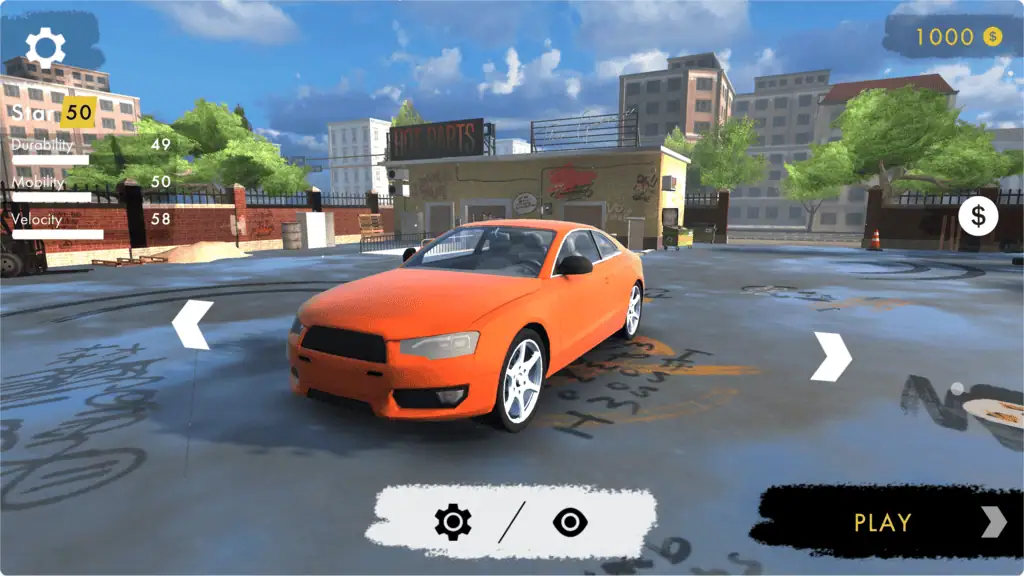
Between drives, Hotgear lets you visit the garage to unlock vehicles, improve performance, and change their appearance. You can adjust practical statistics such as durability, top speed, and mobility while also changing colors, wheels, ride height, camber, and roof decorations.
Game Overview
| Feature | Details |
|---|---|
| Genre | 3D arcade driving and chase game |
| Developer | Lucky Try |
| Game engine | Unity |
| Main modes | Missions and Free Roam |
| Main objective | Complete routes, escape pursuit, and preserve your car |
| Platforms | Desktop, mobile, and tablet browsers; Android |
| Camera | Third-person driving view |
| Progression | Earn cash, unlock cars, and purchase upgrades |
| Browser release date | Not clearly listed consistently |
| Mobile update | Updated versions may vary by platform |
How to Play Hotgear
Start by selecting a car from your garage. When you are ready to drive, choose either Missions or Free Roam.
In Missions, Hotgear gives you a destination or route to complete. Follow the mini-map, maintain your speed, avoid major collisions, and reach the objective before the available time expires. Some challenges place you under pursuit and may include enemies dropping bombs onto the road.
Free Roam removes the pressure of a fixed mission route. You can explore the city, test ramps, practice drifting, smash lightweight objects, and learn which roads connect different parts of the map.
Your car’s condition matters in both modes. Small objects may only reduce your speed, but heavy impacts can damage the vehicle or bring it to a complete stop. If you lose control, use the reset command to return to a usable position.
Read the Mini-Map
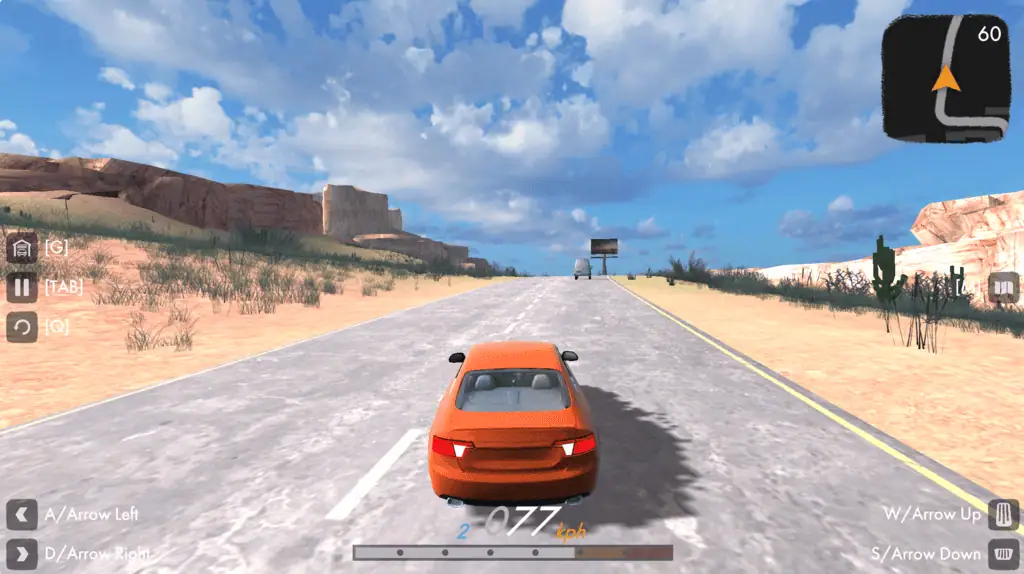
The mini-map in the upper-right area shows your surroundings and the projected route during missions. Check it regularly so you know whether the next section contains a long straight, a tight bend, or a difficult junction.
Looking at the map too late is a common Hotgear mistake. At high speed, you need to prepare for a corner before it appears directly in front of the car. Release the accelerator, position the vehicle, and begin steering early.
Balance Speed and Vehicle Condition
Driving quickly can improve your mission result, but crashing repeatedly wastes time and damages the car. A clean run at a controlled speed is usually more effective than a run filled with full-speed impacts.
Watch the car condition indicator while driving. If your vehicle is already heavily damaged, avoid unnecessary jumps and collisions during the remaining part of the route.
Use Different Road Surfaces Carefully
Smooth roads provide the best surface for maintaining speed. Driving onto dirt or grass slows the car and can make steering less predictable.
Leaving the road is sometimes useful when you need to avoid a bomb, blocked lane, or large obstacle. Return to the pavement as soon as it is safe instead of continuing across slow terrain.
Hotgear Game Modes
Missions
Missions are the main challenge-based part of Hotgear. You receive a specific objective and must drive through the map while dealing with a timer, obstacles, pursuit pressure, and vehicle damage.
Results can depend on factors such as completion speed and the condition of your car. This means you should search for a fast route without treating every corner like a demolition challenge.
Some missions emphasize escaping pursuers. Others test your ability to follow a route, handle sharp turns, or reach the destination within the available time. Nitro and drifting become increasingly useful when the route leaves little room for mistakes.
Free Roam
Free Roam lets you explore without following a fixed mission objective. It is the best place to learn Hotgear controls before attempting difficult escapes.
The map includes roads, ramps, open areas, and destructible roadside objects. Light poles, benches, guardrails, billboards, bus stops, and similar objects may be breakable, although hitting them can still reduce your speed.
Use Free Roam to test how quickly a car accelerates, how sharply it turns, and how it responds to the handbrake. You can also open the garage while exploring when you want to change vehicles or upgrade your current car.
Controls
| Action | Key |
|---|---|
| Accelerate | W or Up Arrow |
| Brake or reverse | S or Down Arrow |
| Steer left | A or Left Arrow |
| Steer right | D or Right Arrow |
| Handbrake | Space |
| Activate or deactivate nitro | Shift |
| Return to the track | Q |
| Open the garage | G |
| Open the map | M |
| Open the menu | Tab |
The standard driving keys control acceleration, braking, reversing, and steering. The additional Hotgear commands let you drift, boost, reset the vehicle, and access important menus without leaving the driving screen.
How Drifting Works
The handbrake helps the rear of the car rotate through sharp turns. Pressing it briefly while steering can point the vehicle toward the exit faster than normal cornering.
Do not hold the handbrake for the entire corner. A long slide may look dramatic, but it can send the car into a barrier or leave you facing the wrong direction.
A more reliable Hotgear drift follows three steps:
- Approach the corner from the outside.
- Release the accelerator and tap Space while steering.
- Straighten the car and accelerate toward the exit.
Practice this sequence in Free Roam before relying on it during timed missions.
Using Nitro Effectively
Nitro gives your car a burst of additional speed. It works best on long, clear roads where you can keep the vehicle stable.
Avoid activating nitro immediately before a sharp bend. The extra speed makes braking more difficult and can turn a small steering error into a major crash.
Good times to use nitro in Hotgear include:
- After completing a drift and straightening the car
- On a clear section of paved road
- When pursuers are closing the distance
- After recovering from a collision
- During the final approach to a mission destination
Look ahead before boosting. Nitro is less valuable when the route is covered with bombs, traffic, barriers, or narrow turns.
Cars, Upgrades, and Customization
Hotgear begins with a limited garage, but successful driving allows you to expand your collection. New cars provide different combinations of speed, durability, and maneuverability.
Vehicle upgrades include top speed, durability, and mobility. Top speed improves performance on open roads, durability helps the car survive impacts, and mobility makes difficult routes easier to control.
Do not spend all your rewards on speed first. A fast car with poor control may lose more time in corners than it gains on straight sections. Improving durability and mobility creates a more forgiving setup for early Hotgear missions.
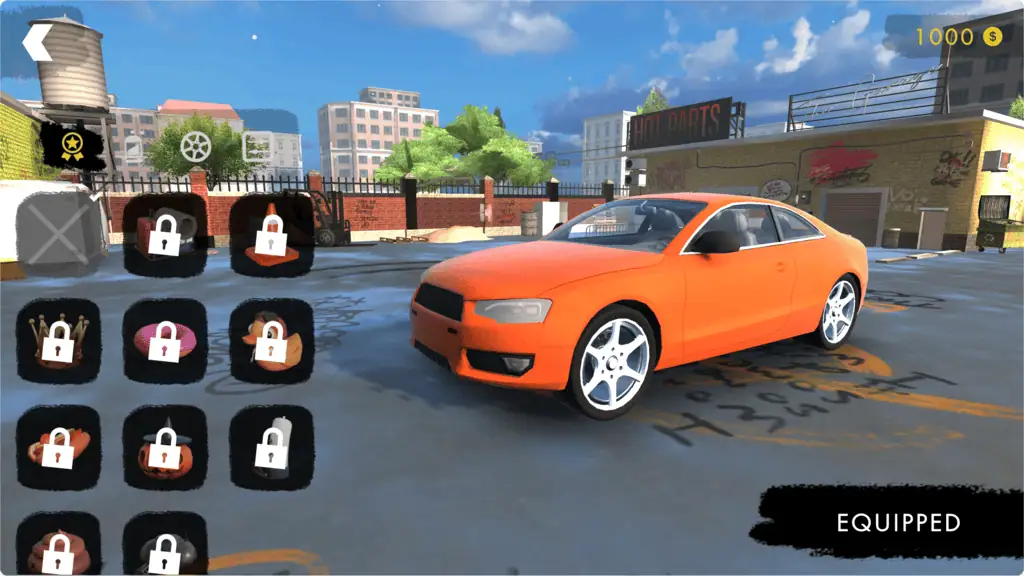
The garage also includes visual customization. Depending on the available version, you can change the car’s color, choose wheels, adjust camber and ride height, select skins, and add roof ornaments such as a crown or hot dog.
These cosmetic choices do not replace performance upgrades, but they let you create a recognizable vehicle while progressing through Hotgear.
Useful Hotgear Tips
Brake Before Sharp Corners
Start reducing speed before turning. Braking after the car has entered the corner often causes a wide slide into a barrier.
Stay on the Main Road
Paved roads are faster than grass or dirt. Use off-road shortcuts only when they genuinely avoid a longer route or immediate danger.
Reset Instead of Struggling
When the car becomes trapped against a wall or obstacle, press Q. Resetting can be faster than repeatedly accelerating and reversing.
Avoid Heavy Obstacles
Small roadside objects may break when hit, but large walls and barriers can stop the car and cause serious damage. Learn which objects are safe to push through and which must be avoided.
Save Nitro for Clear Sections
Boosting through a crowded or twisting road gives you little control. Activate nitro after a turn when the road ahead is visible.
Watch Bomb Patterns
During pursuit missions, do not focus only on the route marker. Watch the road ahead for incoming attacks and move away from the predicted impact area.
Learn One Car Before Switching
Each vehicle can respond differently to steering, drifting, and acceleration. Spend time learning one car before buying several upgrades for vehicles you rarely use.
Upgrade Your Weakest Area
When you crash frequently, improve mobility or durability. When you can finish cleanly but miss time targets, invest more heavily in speed.
Why Players Keep Playing
Hotgear gives you two different ways to use the same driving system. Missions provide focused challenges with timers and pursuit pressure, while Free Roam offers space to practice and experiment.
The garage adds a clear progression loop. Completing routes earns resources, improved vehicles make harder drives more manageable, and visual options let you personalize your collection.
Hotgear is best suited to players who enjoy arcade handling rather than strict racing simulation. You still need to brake correctly and choose clean driving lines, but the game also encourages jumps, breakable scenery, nitro escapes, and handbrake turns.
Short missions make it practical for quick play sessions, while upgrades and vehicle collecting provide longer-term goals.
Can You Play Hotgear Online?
Yes. Hotgear is available as an online browser game on compatible desktop, mobile, and tablet devices. The browser edition runs directly from the game page, although the exact control method can depend on your device.
Desktop players use keyboard controls for driving, drifting, nitro, and menu access. Mobile editions use on-screen driving controls.
Hotgear is also available on Android. Features, updates, advertisements, purchases, and interface details may differ between the browser and mobile versions.
FAQ
What is Hotgear?
Hotgear is a 3D arcade driving game where you complete missions, escape pursuits, explore an open map, and customize cars.
How do you drive in Hotgear?
Use WASD or the Arrow Keys to accelerate, brake, reverse, and steer.
How do you drift?
Press Space while steering, then straighten the vehicle and accelerate out of the corner.
How do you use nitro?
Press Shift to turn the nitro boost on or off.
What is the difference between Missions and Free Roam?
Missions give you timed objectives and pursuit challenges, while Free Roam lets you explore and practice without a fixed route.
Can you customize cars?
Yes. Hotgear includes performance upgrades and visual options such as colors, wheels, skins, ride height, camber, and roof ornaments.
What happens when your car is damaged?
You can continue driving while damaged, but severe impacts reduce vehicle condition and can make a mission less successful.
Is Hotgear multiplayer?
Multiplayer support is not clearly listed; the confirmed gameplay focuses on individual missions and Free Roam driving.