






Play Roblox Parkour Adventure online, run and jump through 3D obstacle courses, avoid traps, clear checkpoints, and try five parkour modes.

Here's a quick look at the game:
\Roblox Parkour Adventure is a 3D browser platform game where you run, jump, and navigate block-style obstacle courses filled with traps, narrow platforms, and difficult routes. The main goal is to reach the finish line without wasting lives on mistimed jumps, while five different modes change the type of parkour challenge you face.
What Is Roblox Parkour Adventure?
Roblox Parkour Adventure is a Roblox-inspired parkour game developed by YYGGames. Instead of requiring the Roblox client, this version runs as an HTML5 browser game on supported desktop and mobile devices.
The basic gameplay is easy to understand: move your character through each course, jump between safe platforms, avoid hazards, and find a route to the end. The difficulty comes from timing. Running too quickly can send you into a trap, while jumping too late can leave you short of the next platform.
Roblox Parkour Adventure includes five named modes: Run, Tower, Step, Zombie, and Apex. Each keeps movement and jumping at the center of the game but changes the layout, hazards, or objective.
Game Overview
| Feature | Details |
|---|---|
| Game | Roblox Parkour Adventure |
| Genre | Parkour, Platform, Skill |
| Graphics | 3D block-style environments |
| Developer | YYGGames |
| Browser Technology | HTML5 |
| Main Goal | Navigate obstacles and reach the finish line |
| Modes | Run, Tower, Step, Zombie, Apex |
| Desktop Controls | Keyboard and mouse |
| Mobile Controls | On-screen touch buttons |
| Mobile Play | Supported |
| Browser Play | Yes |
| Y8 Addition Date | August 17, 2026 |
Roblox Parkour Adventure focuses much more on movement than combat. Although some situations give you additional actions such as attacking or using flight controls, most of your time is spent judging platforms, avoiding traps, and keeping your character under control.
How to Play Roblox Parkour Adventure
Your first task in Roblox Parkour Adventure is to learn how far your character moves before trying to sprint through every obstacle.
Use WASD to control your direction and Space to jump. You can run with Shift, but extra speed also means less time to correct a bad approach.
Read the Platforms Before Jumping
Do not focus only on the platform directly in front of you. Look at the next two or three obstacles and decide where you want to land.
A centered landing usually gives you more space for your next jump. Landing close to an edge may technically keep you alive, but it can make the following obstacle much harder.
Roblox Parkour Adventure rewards players who control their momentum instead of holding the run key constantly.
Time Your Jumps
Many failures come from jumping too early or too late. Approach the edge carefully, line up your movement, and jump only when your character has a clear path toward the landing area.
Longer gaps may require more speed, while short or narrow sections are usually easier when you slow down.
When an obstacle repeatedly causes trouble, stop changing several things at once. Keep the same direction and adjust only your takeoff timing or speed until you understand the jump.
Use Checkpoints When Available
Courses in Roblox Parkour Adventure can include checkpoints that reduce how far you need to repeat after a failed section. When you reach one, treat the next area as a fresh challenge rather than rushing immediately into another jump.
This is especially useful on longer courses where several different obstacle patterns appear in sequence.
Roblox Parkour Adventure Game Modes
The five modes give Roblox Parkour Adventure more variety than a single continuous obstacle course.
Run Mode
Run Mode puts more emphasis on forward movement and getting through obstacle-filled routes. You need to maintain a useful pace while still leaving enough time to react to hazards.
Speed is helpful here, but blindly sprinting usually creates unnecessary mistakes. Use Shift when you have a clear path and release it before technical sections.
Tower Mode
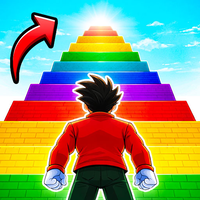
Tower Mode changes the goal from crossing a mostly horizontal course to climbing upward through a parkour tower.
Falls become more punishing because height is part of your progress. Take extra care on small platforms and sections where an inaccurate landing can send you down several levels.
Camera awareness is particularly useful in Tower Mode. Look around before difficult jumps so you know exactly where the next safe surface is located.
Step Mode
Step Mode is built around carefully navigating dangerous paths and platforms. Some versions of the game also use collectible coins as part of this mode's progression.
Precision matters more than raw speed. Watch where you place your character and avoid automatically following the most direct-looking path when traps are nearby.
Zombie Mode
Zombie Mode combines parkour with a survival-style escape scenario. The course places you in a zombie-themed environment where movement, traps, and hostile enemies all add pressure.
Roblox Parkour Adventure also includes an attack control, which becomes particularly relevant when a mode includes enemies.
Keep moving when necessary, but avoid jumping without checking your landing zone. Escaping an enemy only to fall into a trap does not help your run.
Apex Mode
Apex is presented as the hardest parkour option in Roblox Parkour Adventure. It uses more demanding platforms, tricky routes, and jumps that require tighter movement control.
This mode is better after you are comfortable with normal movement, sprint timing, and camera control. Small errors that are easy to recover from in simpler courses can quickly end an attempt here.
Controls
PC Controls
| Action | Key |
|---|---|
| Move | WASD |
| Jump | Space |
| Run | Shift |
| Attack | F |
| Fly / Jetpack | G |
| Move Up while flying | Q |
| Move Down while flying | E |
| Look Around | Drag / move the mouse |
Some actions are used only when the current Roblox Parkour Adventure mode or section makes them available. For ordinary obstacle courses, movement, jumping, sprinting, and camera control are the controls you will use most often.
Mobile Controls
Roblox Parkour Adventure supports mobile browser play. On phones and tablets, use the on-screen buttons to move, jump, run, and activate available actions.
A larger screen may make narrow platforms easier to judge, but the core obstacle courses can also be played with touch controls.
Collecting Coins and Unlocking Items
Roblox Parkour Adventure includes progression elements alongside the parkour stages. Coins can appear during gameplay, and game listings show unlockable content such as additional characters, weapons, wings, and visual effects.
Do not risk every run just to grab a difficult coin. If a collectible sits next to a dangerous edge, first learn the obstacle and then attempt the more aggressive route.
Weapons and special movement options can matter in modes where enemies or unusual traversal mechanics appear, but precise jumping remains the foundation of Roblox Parkour Adventure.
Tips for Better Runs
- Learn normal movement before sprinting everywhere. Extra speed helps with long gaps but makes narrow platforms harder to control.
- Aim for the center of platforms. A safe landing gives you more options for the next jump.
- Look ahead before leaving the ground. Knowing your next landing point prevents last-second corrections.
- Use short attempts to learn difficult traps. If the same obstacle keeps defeating you, study its position and timing instead of repeating the same approach.
- Slow down in Tower Mode. Losing height can cost more time than moving carefully.
- Save aggressive movement for clear sections. Holding Shift through every obstacle makes Roblox Parkour Adventure harder than it needs to be.
- Use checkpoints as progress markers. Once you reach one, focus on learning the next sequence instead of worrying about the entire course.
- Practice easier modes before Apex. Apex is more manageable when basic movement and landing control already feel automatic.
How to Get More Consistent at Roblox Parkour Adventure
Consistency comes from separating speed from accuracy.
When you first enter a new course, prioritize survival. Learn where platforms end, identify traps, and notice which jumps need sprinting. Once you understand the route, you can start moving faster.
This approach works especially well in Roblox Parkour Adventure because many mistakes are caused by movement decisions rather than complicated controls. You only need a few keys, but knowing when to use them is what determines whether a run continues.
Try to keep your camera positioned so you can clearly see both your character and the next landing area. A poor viewing angle can make an easy platform look much narrower than it actually is.
Why Players Keep Playing Roblox Parkour Adventure
The appeal of Roblox Parkour Adventure comes from short, repeatable challenges. Missing a jump immediately shows you what went wrong, and another attempt gives you a chance to correct your timing.
The five modes also keep the structure from becoming too repetitive. Tower Mode tests careful climbing, Zombie Mode adds survival pressure, and Apex gives experienced players a harder obstacle course after the basic movement becomes familiar.
Roblox Parkour Adventure is particularly suitable if you like obby-style games, precision platforming, short browser sessions, or improving a difficult route through repetition.
You do not need to learn a large combat system or manage complicated menus before starting. Move, jump, watch the obstacles, and gradually increase your speed as you learn the course.
Can You Play Roblox Parkour Adventure Online?
Yes. Roblox Parkour Adventure is available as an HTML5 browser game, so supported websites can run it directly without a separate game installation.
It is playable on desktop and mobile devices. Desktop players use keyboard and mouse controls, while mobile players use touch buttons displayed on the screen.
Despite its name and block-style presentation, Roblox Parkour Adventure is presented as a standalone Roblox-inspired browser game rather than a Roblox experience that requires you to launch Roblox itself.
FAQ
Is Roblox Parkour Adventure a Roblox game?
Roblox Parkour Adventure uses a Roblox-inspired block style, but the version described here is an HTML5 browser game from YYGGames.
How do you jump in Roblox Parkour Adventure?
Press Space on PC, or use the jump button shown on the screen when playing on mobile.
How do you run faster?
Hold Shift on PC to run, but release it when you need finer control on narrow platforms.
What modes are in Roblox Parkour Adventure?
Roblox Parkour Adventure includes Run, Tower, Step, Zombie, and Apex modes.
Can I play Roblox Parkour Adventure on a phone?
Yes. The browser version supports mobile devices and provides on-screen touch controls.
What is the hardest mode?
Apex is presented as the most demanding Roblox Parkour Adventure mode, with harder jumps and more difficult obstacle layouts.