








Drive Quest is an open-world driving game where you explore cities, complete challenges, earn rewards, unlock cars, and customize your garage.

Here's a quick look at the game:
Drive Quest puts you behind the wheel in a large map built for free driving, drifting, speed runs, stunt jumps, and vehicle challenges. Instead of following one fixed race track, you can cruise between cities, explore ports and highways, search for hidden roads, or enter activities that test a specific driving skill.
What Is Drive Quest?
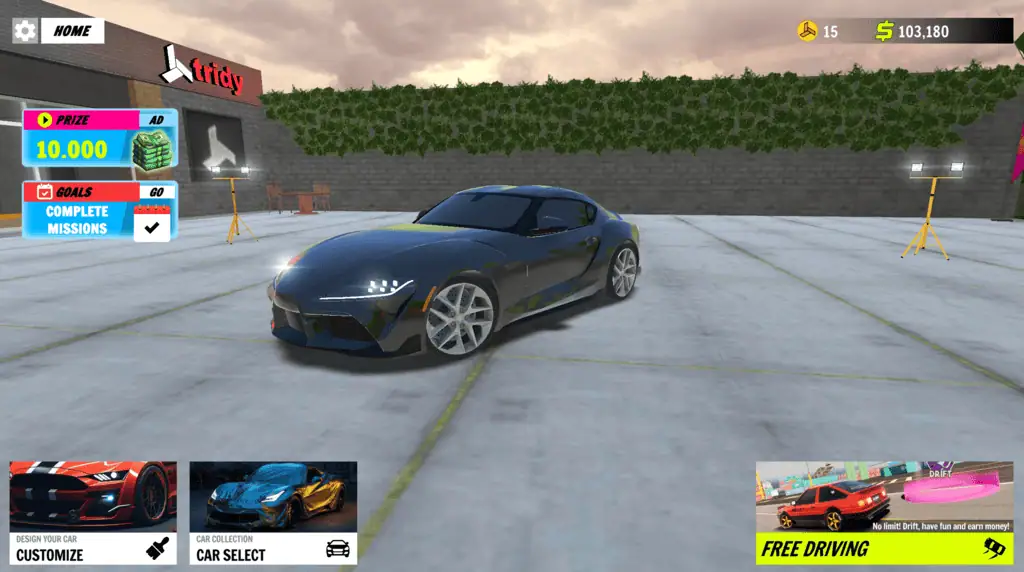
Drive Quest is an open-world car game developed by Tridy Games. The main loop is simple: choose a vehicle, drive around the map, complete activities, earn money or points, and use those rewards to expand and customize your car collection.
You are not required to race constantly. Free driving is an important part of Drive Quest, and the map gives you room to practice corners, test top speed, find stunt locations, and learn shortcuts before attempting scored challenges.
The world includes two major city areas connected by highways, along with ports and less obvious exploration zones. Wide roads are useful for speed, while tighter streets and open industrial areas create better opportunities for drifting or stunt attempts.
Game Overview
| Game Detail | Information |
|---|---|
| Genre | Open-world driving and car simulation |
| Developer | Tridy Games |
| Main Goal | Explore, complete driving challenges, earn rewards, and collect vehicles |
| Game Modes | Free drive, drift, checkpoint, stunt, radar, and object destruction |
| Vehicles | 35 vehicles are listed |
| Customization | Colors, rims, tires, window tint, wraps, suspension, and camber |
| Browser Controls | WASD or Arrow Keys, Space, and C |
| Platforms | Web browser, Android, and iOS |
| Multiplayer | Available in some versions; features may differ by platform |
| Download Required | No download is needed for the browser version |
How to Play Drive Quest
When Drive Quest begins, select an available car and enter the open world. Use the main roads to learn how your vehicle accelerates, brakes, and turns before pushing it into a difficult challenge.
Driving itself can earn money and points. Drifting, maintaining speed, landing jumps, and completing activities provide additional rewards. You can then spend your earnings on vehicles or customization options.
Explore Before Chasing Scores
Your first goal should be learning the map. Drive along the main highway, locate the city areas, and check the roads around the port. Notice where roads become narrow, where ramps appear, and where long straight sections allow you to build speed safely.
Exploration matters because each Drive Quest activity needs a different type of location. A long highway is useful for radar challenges, while broad corners provide room for controlled drifting. Ramps, slopes, and raised structures are better for stunt attempts.
Learning how different roads connect also helps during checkpoint events. A driver who understands the layout can maintain momentum and avoid unnecessary turns.
Control Your Speed
Holding the accelerator constantly is rarely the fastest way to complete a technical route. High speed makes the car less forgiving, especially when you approach a sharp corner or narrow passage.
Ease off the accelerator before turning, position the car toward the outside of the corner, and steer toward the inside as you pass through it. Accelerate again when the vehicle is pointing toward the exit.
This approach may feel slower at first, but it prevents crashes and reduces the need for large corrections. Consistent driving usually produces better checkpoint times than repeatedly crashing at maximum speed.
Earn Money and Expand Your Garage
Drive Quest rewards you for participating in free mode and its different challenges. As your money increases, you can access more of the available vehicles and build a larger garage.
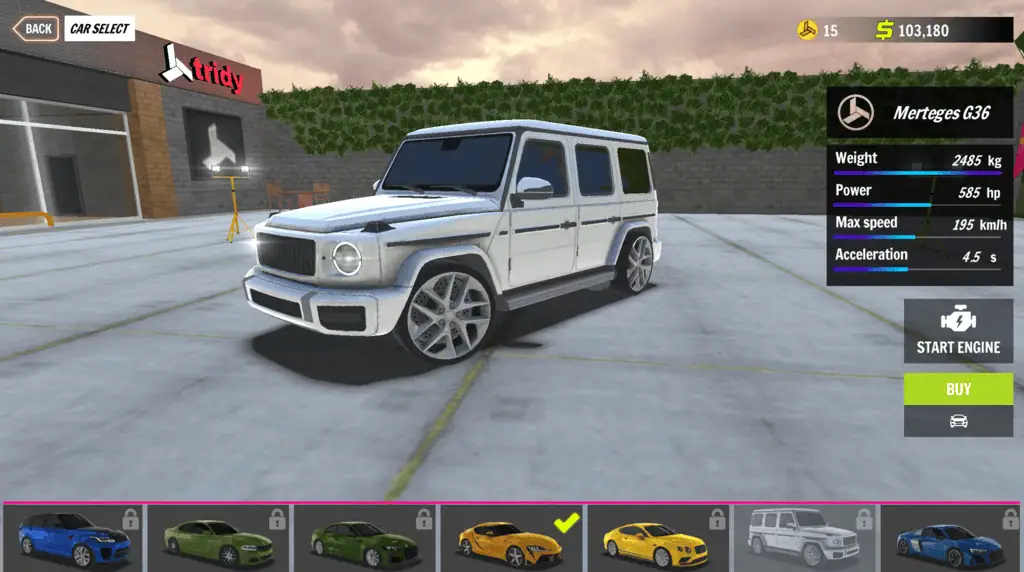
The game lists 35 vehicles, giving you several options for cruising, drifting, speed testing, and visual customization. You may prefer a stable vehicle for checkpoint events and a looser, more responsive car for drift challenges.
Do not judge a car only by its appearance. Test how quickly it changes direction, how easily it loses grip, and how stable it feels after a jump. A vehicle that works well on the highway may be harder to control on tight city roads.
Drive Quest Game Modes
Drive Quest includes multiple activities, so the best strategy depends on the objective shown on the screen.
Free Drive
Free Drive lets you explore without following a strict event route. Use this mode to learn the world, test vehicles, find hidden areas, and practice difficult maneuvers.
You can also earn rewards by driving well. Look for opportunities to drift, jump, or maintain speed while moving between different parts of the map.
Free Drive is a useful starting point for new players because mistakes do not immediately ruin a timed run.
Drift Mode
Drift challenges reward you for sliding through corners while maintaining control. Speed helps create a longer drift, but too much speed can send the car off the road or cause it to spin.
Approach a wide corner with moderate speed, begin steering, and tap the handbrake to break rear traction. Release the handbrake quickly, then balance your steering and acceleration to keep the slide moving.
Avoid holding the handbrake for the entire corner. A short input starts the drift, while normal steering and throttle control determine whether you complete it cleanly.
Checkpoint Mode
Checkpoint events ask you to pass through marked points as quickly as possible. Your route, corner entry, and ability to recover from mistakes all affect the final time.
Look beyond the nearest marker when possible. The position of the following checkpoint can tell you which side of the road you should use.
A clean route with smooth turns is more reliable than a reckless route filled with collisions. Brake early enough to keep control, but avoid slowing down more than necessary.
Stunt Mode
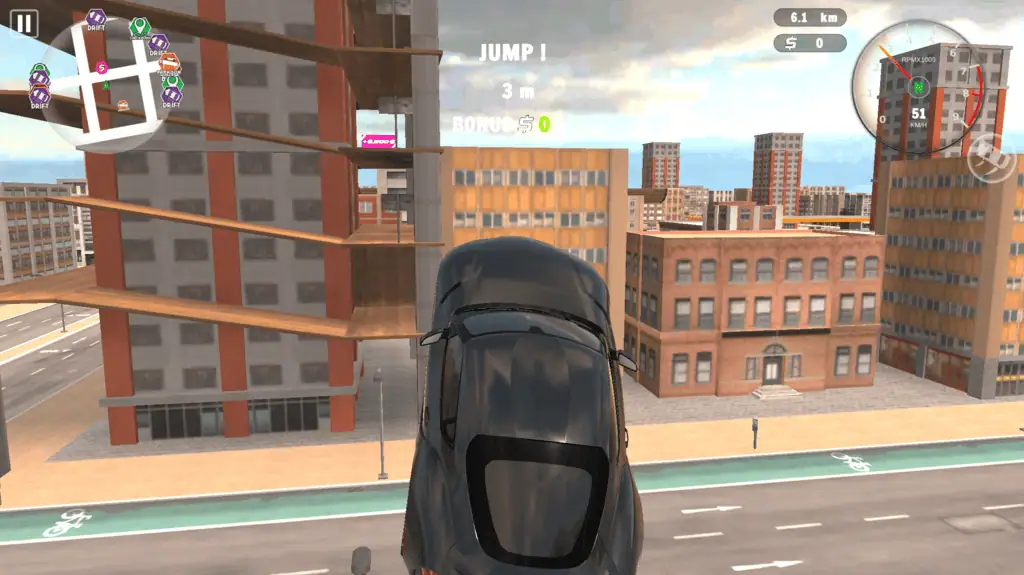
Stunt activities focus on ramps, airtime, rotations, and controlled landings. The run-up is just as important as the jump.
Line up with the center of a ramp before reaching it. Last-second steering can rotate the car unexpectedly and make a flat landing difficult.
Once you leave the ramp, watch the car’s angle and prepare for the landing. Touching down on all four wheels allows you to continue driving instead of losing time to a crash or rollover.
Radar Mode
Radar challenges require you to pass through a marked area at a target speed. These events test acceleration, route planning, and speed control rather than simple cornering.
Find a straight approach with enough distance to build speed. Avoid entering from a route with sharp turns, traffic obstacles, or uneven surfaces.
Pay attention to the required speed. Reaching the radar zone too slowly may fail the objective, but entering far too quickly can make the next section difficult to control.
Object Destruction
Object Destruction tasks turn parts of the environment into targets. You need to identify the required objects, approach them effectively, and create enough impact to destroy them.
Use a direct line whenever possible. Hitting an object from a poor angle can push your car sideways and reduce the force of the collision.
After each impact, recover quickly and point the vehicle toward the next target. Spending too long reversing or turning around can reduce your score.
Drive Quest Controls
| Action | Key |
|---|---|
| Accelerate | W or Up Arrow |
| Brake or reverse | S or Down Arrow |
| Steer left | A or Left Arrow |
| Steer right | D or Right Arrow |
| Use the handbrake | Spacebar |
| Change the camera position | C |
| Select menus and garage options | Mouse |
The controls are easy to understand, but precise steering takes practice. Small inputs are usually better than rapidly pressing left and right, especially when traveling at high speed.
Changing the camera can also improve your driving. A wider view helps you see upcoming corners and obstacles, while a closer view may make city cruising feel more direct.
Vehicle Customization
Drive Quest includes both practical garage progression and detailed visual customization. Depending on the vehicle and version, you can change options such as:
- Body color
- Rims
- Tires
- Window tint
- Vehicle wraps
- Air suspension
- Wheel camber
These options let you build a clean street car, a low show car, or a more aggressive drift-style setup. Customization does not require you to follow one specific appearance, so you can adjust each unlocked vehicle differently.
Some special vehicles or benefits may be connected to a subscription in the mobile version. Availability and payment options can differ between the browser, Android, and iOS releases.
Tips for Better Driving
Tap the Handbrake Instead of Holding It
A quick handbrake input is often enough to start a drift. Holding it too long removes too much speed and makes the car more likely to spin.
Brake Before the Corner
Complete most of your braking while the car is traveling straight. Turning and braking heavily at the same time can make the vehicle unstable.
Use Long Roads for Speed Challenges
Highways and other open sections give you more time to accelerate. Do not attempt a radar objective from a short or sharply curved approach.
Line Up Early for Jumps
Position your car before reaching a ramp. A straight takeoff creates a more predictable flight and a safer landing.
Learn One Area at a Time
Start with the main roads, then explore side streets, port areas, and hidden routes. Trying to memorize the entire Drive Quest map immediately can make navigation harder.
Test Cars Before Spending More
Drive each vehicle in several situations. Try a high-speed road, a tight corner, a drift, and a jump before deciding whether it suits your preferred activities.
Use the Right Camera
Change the camera when visibility becomes a problem. A better angle can help you judge a corner, line up a stunt, or see the next checkpoint sooner.
Recover Calmly After a Crash
Do not accelerate immediately while the car is facing the wrong direction. Straighten the wheels, point toward the route, and then build speed again.
Can You Play Drive Quest Online?
Yes. Drive Quest can be played online through supported web browsers without downloading the mobile application. The browser release works on desktop computers and is also listed for mobile and tablet browsers.
The game is also available as Drive Quest: Online on Android and iOS. Features may not be identical across every platform, so vehicle access, online functions, advertisements, and purchases can vary by version.
Who Should Play Drive Quest?
Drive Quest is suitable for players who prefer open driving over fixed circuit racing. You can create your own route, spend time customizing cars, practice drifting, or move directly between structured challenges.
It also works well for players who enjoy short sessions. You can enter the world, complete one checkpoint or radar event, modify a car, and stop without finishing a long campaign chapter.
More competitive players can focus on cleaner drifts, faster checkpoint routes, controlled stunt landings, and efficient money earning. The controls are accessible, but mastering the map and vehicle handling gives Drive Quest a clear learning curve.
Why Players Keep Playing
The variety of activities gives each drive a purpose. A road used for casual cruising can become a checkpoint route, a drift section, or the approach to a stunt ramp.
Vehicle collection adds another progression goal. Unlocking and testing different cars changes how you approach corners, jumps, and speed challenges, while the customization system gives each garage a personal look.
Drive Quest also gives you freedom between objectives. You are not forced to repeat the same event continuously. You can leave a difficult challenge, explore another part of the map, earn more money, try a different car, and return later.
FAQ
Is Drive Quest free to play?
Yes, the browser version can be played for free, while mobile versions may include advertisements, subscriptions, or optional purchases.
How many cars are in Drive Quest?
Drive Quest lists 35 vehicles, although access to specific cars may depend on your progress or game version.
Does Drive Quest have multiplayer?
Online and multiplayer features are available in some releases, but feature availability may vary between platforms.
What is the handbrake key?
Press Spacebar to use the handbrake in the browser version.
How do you change the camera?
Press C to switch between the available camera positions.
What can you customize?
You can customize options such as paint color, rims, tires, tint, wraps, suspension, and camber.
Do you need to download Drive Quest?
No download is required when you play Drive Quest through a supported browser.
What is the best mode for beginners?
Free Drive is the best place to learn the controls, explore the map, and practice corners before entering timed or scored challenges.