








Run Monkey Mart by growing food, stocking shelves, serving animal customers, hiring workers, upgrading production, and opening larger supermarkets.

Here's a quick look at the game:
Monkey Mart is a supermarket management game where you control a monkey responsible for farming products, filling display stands, collecting payments, and expanding the business. Most actions happen automatically when you walk close to the correct station, so the main challenge is choosing where your help is needed before shelves empty and checkout lines become too long.
What Is Monkey Mart?
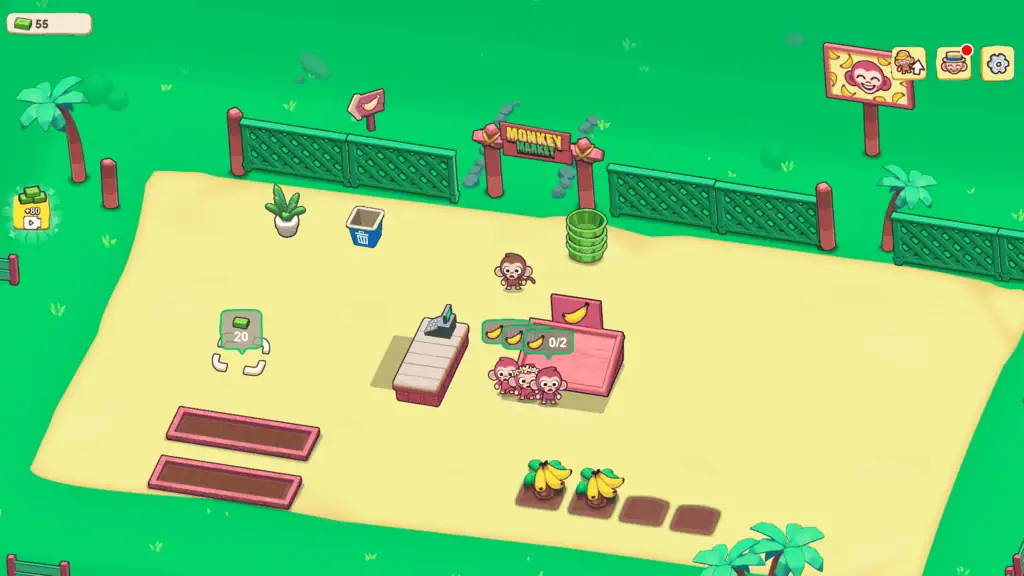
Monkey Mart is an idle management game created by TinyDobbins. You begin with a small store, a limited product selection, and a monkey who must handle nearly every job.
Your first tasks involve harvesting simple crops, carrying them to matching shelves, and standing at the checkout to receive payment. Customers enter the store, choose available products, and line up at the register.
Money earned from sales can be reinvested into new aisles, crop stations, processing appliances, employees, and permanent upgrades. As Monkey Mart expands, the relaxed opening develops into a busier time-management challenge with several products running out at once.
Game Overview
| Game Detail | Information |
|---|---|
| Genre | Idle, management, and supermarket simulation |
| Developer | TinyDobbins |
| Original Browser Release | November 2022 |
| Main Objective | Stock products, serve customers, and expand your supermarket |
| Core Actions | Harvesting, carrying, restocking, processing, and collecting money |
| Store Progression | Unlock aisles, appliances, workers, upgrades, and additional marts |
| Number of Marts | 6 marts are currently listed |
| Upgrade Types | Speed, Stack, and Stamina |
| Platforms | Web browser, Android, and iOS |
| Game Mode | Single-player |
| Browser Download | Not required |
How to Play Monkey Mart
The basic Monkey Mart loop has four steps:
- Harvest food from a crop, animal station, or production area.
- Carry the products to the correct shelf.
- Let customers collect the stocked items.
- Receive money at the checkout and reinvest it in the store.
You do not need to press a separate interaction button for most jobs. Walk close to a station and your monkey begins working automatically.
Harvest Your First Products
At the beginning of Monkey Mart, move toward the available banana plants or other starting crops. Your monkey automatically collects ready products and places them in a carrying stack.
Once the stack is full, walk toward the matching display stand. The products transfer onto the shelf automatically, allowing customers to buy them.
Crops replenish over time, so you can return and collect another stack. Early progress depends on repeating this route efficiently instead of walking around the store without a specific task.
Keep Every Shelf Stocked
Customers cannot purchase an item when its shelf is empty. Watch the quantity displayed above each stand and prioritize shelves that are running low.
A completely empty shelf can interrupt the flow of customers and reduce the amount of money reaching the checkout. However, spending all your time on one cheap product can also leave more valuable items unavailable.
In a busy Monkey Mart, focus first on the largest bottleneck. Refill the shelf with several waiting customers, then move to another product before the first one becomes empty again.
Collect Money at the Checkout
After choosing their products, customers form a queue at the register. During the early game, you need to stand behind the checkout to collect their payments.
Money remains tied up while customers wait, so an unattended register slows your ability to purchase upgrades. Check the queue regularly, especially after restocking several shelves.
Hiring a cashier automates this task. Once the register is covered, you can spend more time harvesting, restocking, and opening new areas of Monkey Mart.
Unlock New Aisles and Appliances
Expansion spaces appear around the supermarket with a displayed price. Stand on one of these areas and pay the required amount to construct the new station.
An expansion may add a crop, animal area, display shelf, worker position, or processing appliance. The products become more complex as you advance.
Some goods can be taken directly from a crop to a shelf. Others require several stages. A raw ingredient may need to be delivered to an appliance before it becomes popcorn, yoghurt, coffee, chocolate, or another higher-value product.
These production chains take longer to maintain, but they also create additional income and make later Monkey Mart stores more active.
Monkey Mart Controls
| Action | Desktop Control | Mobile Control |
|---|---|---|
| Move up | W or Up Arrow | On-screen movement control |
| Move down | S or Down Arrow | On-screen movement control |
| Move left | A or Left Arrow | On-screen movement control |
| Move right | D or Right Arrow | On-screen movement control |
| Harvest products | Walk near the station | Move near the station |
| Restock a shelf | Carry products to the shelf | Move near the shelf |
| Collect payments | Stand at the checkout | Stand at the checkout |
| Purchase an expansion | Stand on its marked area | Stand on its marked area |
Monkey Mart does not require separate buttons for harvesting, stocking, or operating most stations. Movement controls your character, while nearby interactions occur automatically.
Workers and Automation
Managing every station alone becomes difficult once the store has several aisles. Monkey Mart lets you hire workers who automate different parts of the business.
Cashiers
Cashiers operate the checkout and keep payments moving. Hiring one early can remove a major interruption from your routine.
Without a cashier, you must repeatedly leave crops and shelves to process the growing customer queue. A cashier allows you to concentrate on production instead.
Assistants
Assistants help harvest products and refill display stands. They are useful after Monkey Mart becomes too large for one character to cover efficiently.
Watch where an assistant spends time. You may still need to handle a distant shelf or a product with unusually high demand.
Farmers
Farmers collect products from crop and animal stations. They reduce the time required to gather raw ingredients for shelves or processing appliances.
A farmer is particularly useful when several recipes depend on resources from the same production area.
Chefs
Chefs operate appliances that turn ingredients into prepared goods. These workers become more important when your supermarket includes multiple processing chains.
A stopped appliance can leave a valuable shelf empty even when plenty of raw ingredients are available. Assigning help to production keeps these goods moving.
Workers may become tired and fall asleep. Wake them when important shelves begin running low, or improve Stamina so they can work for longer periods.
Upgrades in Monkey Mart
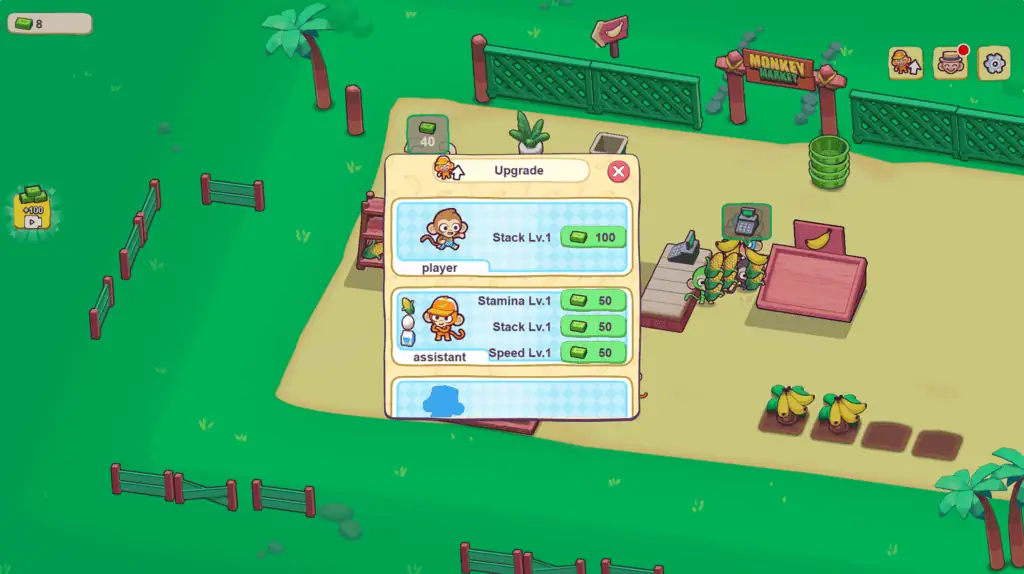
Monkey Mart has three main upgrade categories: Speed, Stack, and Stamina. Each category can currently be raised through several levels.
Speed
Speed improves movement and can reduce the time needed for certain production tasks. It is valuable when long walking routes prevent workers from reaching shelves quickly enough.
Choose Speed when products are available but take too long to transport across the store.
Stack
Stack increases the amount of produce your monkey can carry. It can also improve the storage capacity associated with production.
A larger stack means fewer trips between a crop and its shelf. This is often one of the most useful upgrades when a distant aisle empties faster than you can refill it.
Stamina
Stamina helps workers remain active for longer and can reduce interruptions caused by tired staff or production problems.
Invest in Stamina when employees repeatedly fall asleep and force you to stop your normal route to wake them.
The best upgrade depends on your current bottleneck. Do not buy only one category throughout the entire game. Check whether Monkey Mart needs faster movement, larger deliveries, or more reliable automation.
How to Unlock New Marts
Monkey Mart currently lists six supermarkets to unlock. A new mart becomes available after you finish purchasing the required aisles, appliances, and other expansions in the current store.
Each supermarket introduces a different layout and product selection. Later marts contain longer production chains and more stations, requiring better use of workers and upgrades.
Opening a new location does not make your earlier management skills irrelevant. You still need to identify empty shelves, keep ingredients moving, and prevent customers from waiting too long.
Before leaving a nearly completed store, check for any unopened construction space. A single missing aisle or appliance may be preventing access to the next Monkey Mart location.
Daily Quests, Diamonds, and Accessories
Monkey Mart includes five daily quests that refresh each day. Completing them rewards diamonds, which are separate from the normal cash earned through supermarket sales.
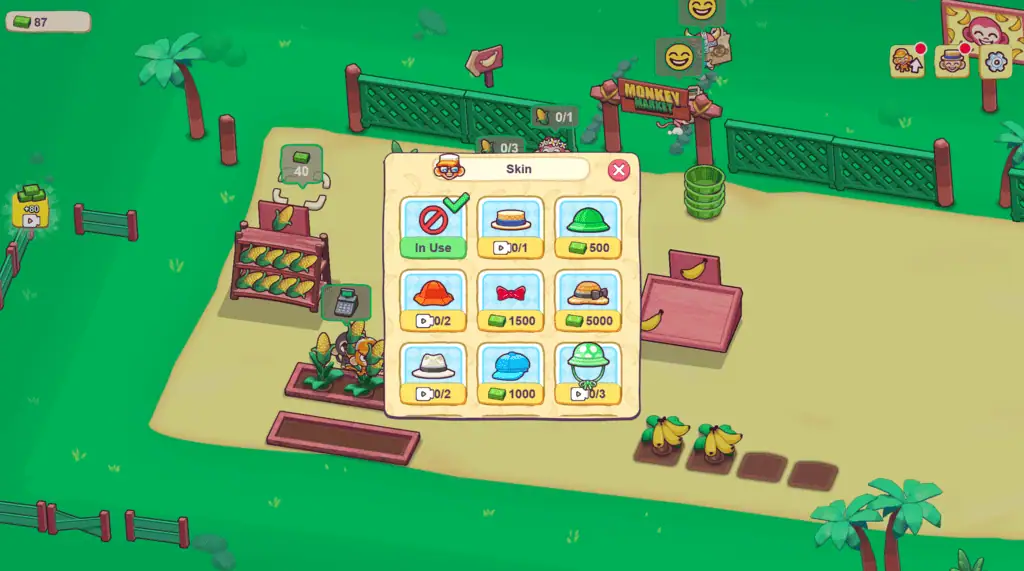
Diamonds can be exchanged for useful resources and spent on cosmetic accessories. More than 20 hats are available for customizing your monkey.
Check the quest requirements before beginning a long session. You may be able to complete several objectives while following your normal restocking and expansion routine.
Daily rewards provide another reason to return after completing a mart. They also give you shorter targets when the next major expansion requires a large amount of money.
Tips for Running Monkey Mart Efficiently
Hire a Cashier Early
The checkout creates no value while customers are waiting. Automating it lets sales continue while you handle crops, shelves, and appliances.
Upgrade Stack for Long Routes
A larger carrying capacity reduces the number of trips needed to stock a distant aisle. This is especially helpful when customers buy an item faster than one small stack can replace it.
Refill the Busiest Shelf First
Do not automatically restock the closest product. Look for empty stands and shelves with customers waiting nearby.
Keep Processing Appliances Supplied
Prepared foods cannot reach their shelves without ingredients. Deliver raw materials before an appliance becomes completely empty.
Wake Important Workers
A sleeping employee can stop an entire production chain. Wake cashiers, chefs, or workers assigned to high-demand items before handling less urgent jobs.
Avoid Carrying the Wrong Product
Your stack can become filled with an item that is not currently needed. Check which shelf you plan to visit before harvesting another full load.
Purchase Functional Upgrades First
New aisles, employees, carrying capacity, and movement improvements usually have a clearer effect on income than cosmetic changes.
Clean Up Store Disruptions
Rowdy visitors can knock products down and create small messes. Deal with disruptions when they interfere with movement or store flow, but do not ignore a completely empty shelf to clean a harmless corner.
Finish the Current Mart Completely
When progress appears to stop, inspect the full supermarket for unfinished purchase zones. Monkey Mart requires the current location to be completed before the next one opens.
Why Players Keep Playing
Monkey Mart makes every upgrade visible. A small banana stand gradually becomes a busy supermarket filled with customers, employees, animals, crops, machines, and prepared foods.
The controls remain simple even as the management becomes more demanding. You only move the monkey, but each movement represents a decision about what the business needs most.
Short sessions work well because you can purchase an upgrade, restock several shelves, or complete a daily quest without starting a long mission. Longer sessions provide enough progression to open new aisles and prepare for another mart.
Monkey Mart also avoids harsh failure conditions. A poorly managed store becomes slower and more crowded, but you can usually recover by refilling shelves, clearing the checkout, and improving your workers.
The game is best suited to players who enjoy farming loops, idle progression, shop management, automatic workers, and steady expansion. Players looking for combat, competitive multiplayer, or realistic business accounting may prefer a different type of simulation.
FAQ
Can you play Monkey Mart online?
Yes. Monkey Mart can be played in a supported web browser without downloading the mobile app.
Who created Monkey Mart?
Monkey Mart was created by TinyDobbins.
What is the goal of Monkey Mart?
Your goal is to grow products, stock shelves, serve customers, earn money, and expand into larger supermarkets.
What are the Monkey Mart controls?
Use WASD or the Arrow Keys to move on desktop. Most interactions happen automatically when you approach a station.
How many marts are in Monkey Mart?
Six marts are currently listed, with each new location unlocked by completing the previous supermarket.
How do you hire workers?
Earn money, locate a worker purchase area, and stand on it until the required cost is paid.
Why do workers fall asleep?
Workers have limited stamina. Wake them manually or upgrade Stamina so they remain active for longer.
What do Speed and Stack upgrades do?
Speed improves movement or processing time, while Stack lets your monkey carry more products per trip.
Is Monkey Mart multiplayer?
No. Monkey Mart is listed as a single-player management game.
Can you play Monkey Mart on a phone?
Yes. Monkey Mart supports mobile play and is also available through Android and iOS app stores.