








Choose the right vehicle, read each obstacle course, and reach the finish line in this browser-based driving puzzle game.
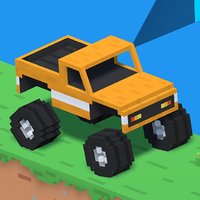
Here's a quick look at the game:
Good to Drive is a 3D driving puzzle game where selecting the correct vehicle matters as much as controlling it. Each level presents a different route, terrain type, or obstacle layout, and you must decide which available vehicle has the right balance of speed, stability, size, and power to reach the destination.
What Is Good to Drive?
Good to Drive turns vehicle selection into the central puzzle. Instead of using one car for every stage, you inspect the road ahead, choose a suitable form of transport, and then drive through the course without becoming stuck or losing control.
One route may reward a quick and lightweight vehicle. Another may contain rough ground, steep slopes, traps, gaps, or obstacles that require a more stable option. Choosing poorly does not always mean your driving is bad—the selected vehicle may simply be unsuitable for that particular level.
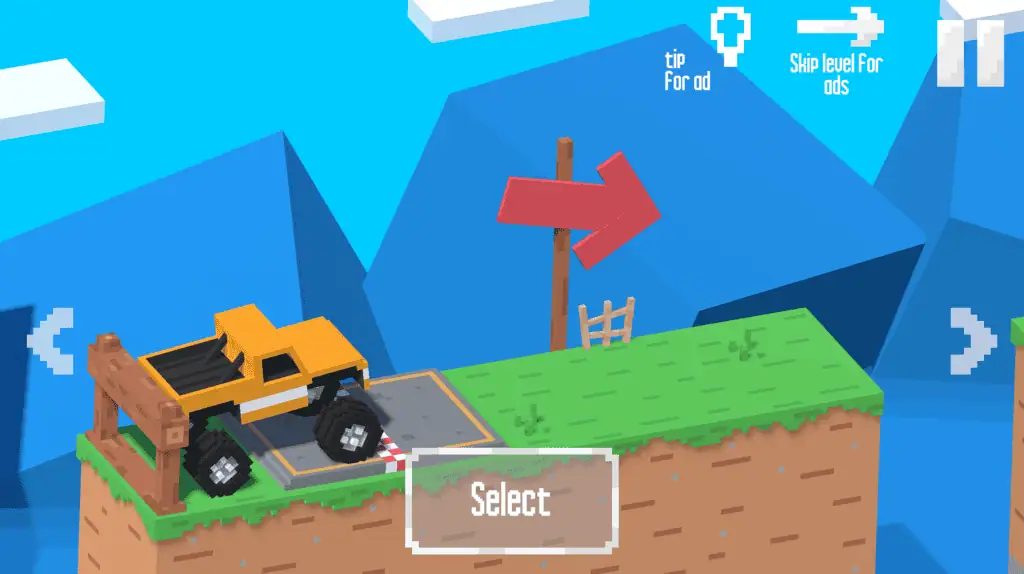
The main goal in Good to Drive is to complete each stage by reaching the finish area. You progress by learning how the available vehicles behave and matching their strengths to the hardest part of the route.
Game Overview
| Feature | Details |
|---|---|
| Genre | Driving puzzle and obstacle game |
| Perspective | 3D third-person view |
| Main objective | Select a suitable vehicle and reach the finish |
| Gameplay focus | Vehicle choice, balance, timing, and route analysis |
| Vehicles | Multiple transport options, including cars and motorcycles |
| Level structure | Separate stages with different roads and obstacles |
| Technology | HTML5/WebGL |
| Platforms | Desktop, mobile, and tablet browsers |
| Desktop controls | Arrow Keys; WASD may also work in some versions |
| Restart | R |
| Pause | P |
| Browser listing date | July 2026 |
How to Play Good to Drive
Each Good to Drive level begins with a new transportation problem. Before moving, look at the course and identify what could prevent an ordinary vehicle from finishing.
Check for steep climbs, uneven surfaces, narrow spaces, raised platforms, traps, barriers, or sections that require controlled momentum. Then compare those challenges with the vehicles available at the beginning of the stage.
After selecting a vehicle, use the movement controls to drive toward the finish. Maintain enough speed to cross difficult sections, but avoid accelerating so aggressively that the vehicle flips, misses a platform, or collides with an obstacle.
When your first choice fails, restart the level and reconsider the puzzle. Good to Drive is designed around experimentation, so changing vehicles is often more useful than repeating the same attempt with more speed.
Inspect the Course First
The most important action often happens before you start driving. Spend a few seconds studying the route and locating the section that appears most difficult.
A level may begin with an easy flat road but end with a steep hill. In that case, selecting a vehicle only because it performs well at the beginning can leave you unable to complete the final section.
Look beyond the nearest obstacle. Good to Drive rewards choices that solve the complete route rather than only the first few meters.
Choose a Vehicle for the Hardest Obstacle
Do not automatically pick the fastest vehicle. Top speed helps on open ground, but it may provide little value on a narrow or uneven course.
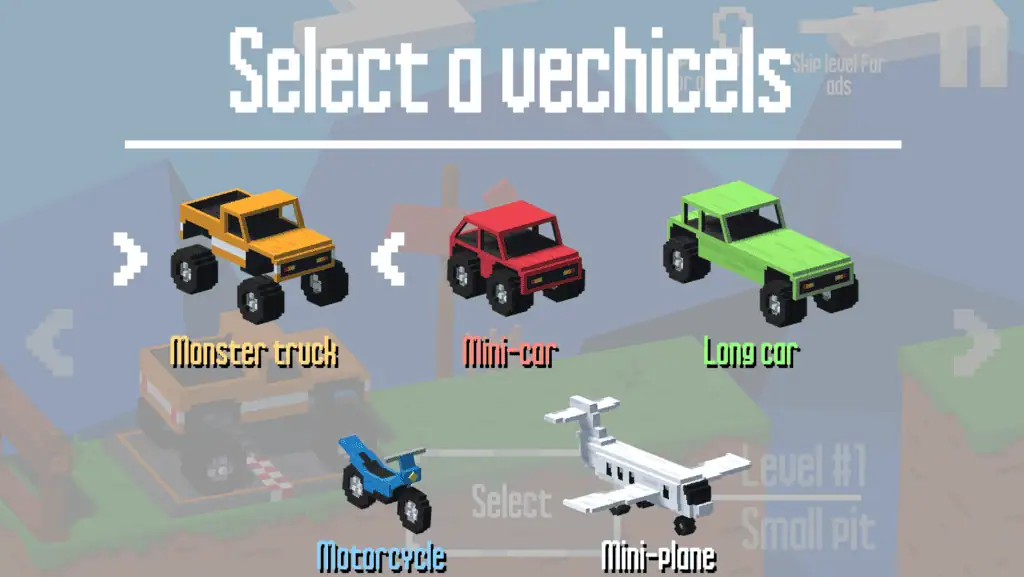
A motorcycle or smaller vehicle may fit through tight areas and respond quickly to changes in direction. A larger or more stable option may be better when the route contains rough terrain, heavy impacts, or steep sections.
The correct Good to Drive vehicle is usually the one that handles the course’s main restriction. Identify that restriction first, then make your selection.
Control Your Momentum
Once the level begins, speed management becomes the second half of the puzzle. You need enough momentum to climb slopes or clear uneven sections, but excessive speed makes landing and balance more difficult.
Accelerate on safe, straight parts of the course. Ease off before narrow platforms, sudden drops, traps, or sharp changes in elevation.
In Good to Drive, controlled movement is normally more reliable than holding the accelerator from start to finish.
Vehicles and Their Roles
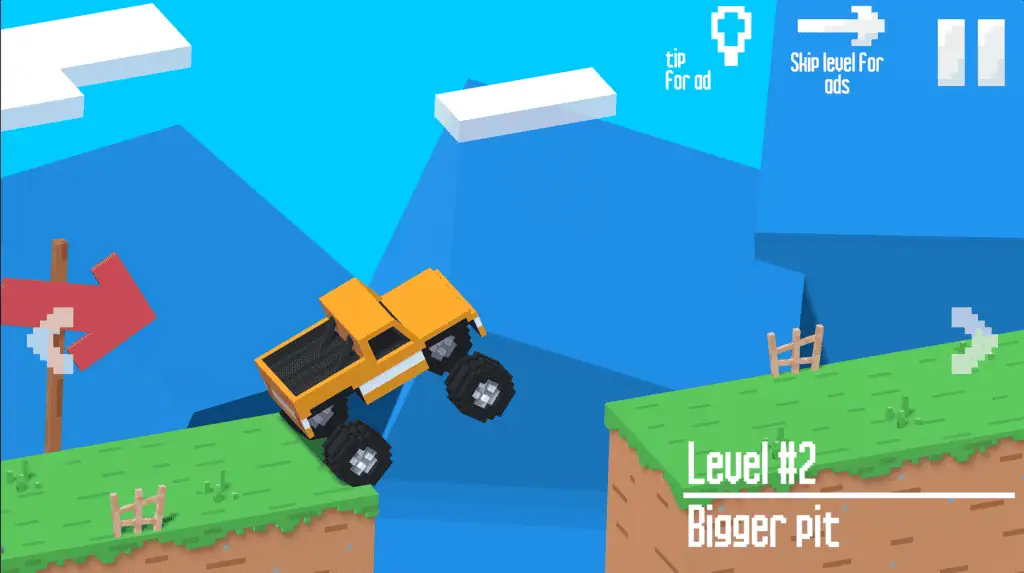
Good to Drive includes different transportation options rather than forcing you to use the same machine in every stage. Their exact appearance and availability can change as you progress.
Fast Vehicles
A fast vehicle is useful when the route contains long open sections or requires momentum. It can also help when a slope is difficult to climb from a slow start.
However, speed can become a disadvantage near traps, edges, and tight corners. Leave enough room to slow down before reaching a precision section.
Small Vehicles
Smaller vehicles are useful for narrow paths and compact obstacle layouts. They may be easier to position when a large vehicle does not have enough space to pass.
Their lighter handling can require extra care on rough surfaces. Avoid making sudden corrections when the vehicle is already leaning or landing.
Stable Vehicles
A wide or stable vehicle can be a practical choice for bumpy tracks and routes where maintaining balance is more important than moving quickly.
These vehicles may feel slower, but consistent progress is better than repeatedly flipping a faster option. Good to Drive often rewards stability on levels with irregular terrain.
Powerful Vehicles
Some obstacles may require strength or climbing ability rather than precision. A vehicle with more power can maintain movement on slopes or push through difficult sections where a lighter option loses momentum.
Power should still be controlled. Accelerating too hard on a steep incline can cause the front or rear of the vehicle to lift.
Controls
The controls in Good to Drive are simple, allowing you to focus on the vehicle puzzle.
| Action | Control |
|---|---|
| Drive and steer | Arrow Keys |
| Alternative movement | WASD in some hosted versions |
| Restart the level | R |
| Pause the game | P |
| Select a vehicle | Mouse click or tap |
| Mobile movement | On-screen touch controls |
Some browser versions may display slightly different control prompts. Check the instructions shown around the game window before starting your first Good to Drive level.
How to Solve Difficult Levels
Find the Real Problem
When an attempt fails, identify the exact reason. Did the vehicle lack power, lose balance, hit a trap, or fail to fit through an opening?
Different failures require different solutions. More speed will not help a vehicle that is too large, and switching to a smaller option may not solve a steep climb.
Change One Thing at a Time
Avoid changing the vehicle and your entire driving approach after every mistake. First, retry with a different speed or timing. When the same limitation remains, switch vehicles.
This method helps you understand whether the problem comes from your controls or your initial selection.
Build Speed Before a Hill
When a route contains a steep incline, begin accelerating before the front wheels reach the slope. Starting the climb with momentum is usually easier than trying to accelerate from the bottom.
Keep the vehicle straight during the approach. Entering at an angle can reduce stability and send you away from the intended path.
Slow Down Before the Landing
When the vehicle crosses a bump or becomes airborne, avoid continuing to accelerate without checking its angle. Too much input can make the landing unstable.
Prepare for the wheels to contact the ground, then accelerate again after the vehicle settles.
Use Restart Quickly
Press R when an attempt is clearly lost. There is little reason to continue when your vehicle is trapped, overturned, or unable to pass the next obstacle.
Quick restarts make experimentation less frustrating and let you test several Good to Drive solutions efficiently.
Common Beginner Mistakes
The most common mistake is choosing the fastest vehicle without examining the road. Good to Drive is a puzzle game first, so speed alone is rarely the complete answer.
Another mistake is focusing only on the first obstacle. A vehicle may clear the opening section easily but fail near the end because it lacks stability, size, or climbing power.
Players also tend to make too many steering corrections. Repeated left-and-right inputs can make a vehicle unstable, especially on narrow paths or uneven terrain. Use small adjustments and allow the vehicle time to respond.
Finally, do not repeat an identical failed attempt indefinitely. When the vehicle consistently stops at the same point, the level is probably asking you to reconsider your selection.
Tips for Better Good to Drive Runs
- Study the entire route before choosing your transport.
- Select for the hardest obstacle, not the easiest section.
- Build momentum on flat ground before climbing.
- Reduce speed before narrow paths and difficult landings.
- Use small steering inputs to preserve balance.
- Try another vehicle when a limitation appears repeatedly.
- Restart immediately when the current attempt cannot be recovered.
- Remember which vehicle traits worked on earlier levels.
As you complete more Good to Drive stages, vehicle behavior becomes easier to predict. You will start recognizing when a route requires speed, when it demands stability, and when a smaller option is likely to work better.
Why Players Keep Playing
Good to Drive provides a different challenge from ordinary racing games. You are not competing for first place or trying to record the fastest lap. The satisfaction comes from studying a strange route, making a smart vehicle choice, and seeing that decision work.
Its short level structure also makes mistakes easy to accept. A failed attempt usually gives you useful information, and restarting takes you directly back to the same puzzle.
Good to Drive suits players who enjoy vehicle physics but do not want a complicated driving simulator. The controls are accessible, while the changing routes require observation and practical problem-solving.
The game is also suitable for short browser sessions. You can solve one stage, test several vehicles, or continue through multiple levels without learning a large upgrade system or long list of commands.
Can You Play Good to Drive Online?
Good to Drive can be played online through a compatible web browser. Browser versions are available for desktop computers, tablets, and mobile devices, with no separate desktop installation required.
Desktop players can use the keyboard to control the selected vehicle. Mobile and tablet players use the touch buttons provided on the screen.
Because Good to Drive uses 3D WebGL graphics, performance can depend on your browser and device. Closing unnecessary tabs may help if movement feels delayed or the game loads slowly.
Who Is Good to Drive For?
Good to Drive is a practical choice for players who like obstacle driving, vehicle experiments, short physics challenges, and level-based puzzle games.
It does not require detailed knowledge of real cars. You learn by observing how each vehicle behaves and applying that information to the next course.
Players who prefer planning over constant racing may find Good to Drive particularly approachable. Each stage gives you a clear objective, a small set of choices, and immediate feedback when your strategy succeeds or fails.
FAQ
What is Good to Drive?
Good to Drive is a 3D driving puzzle game where you select a suitable vehicle and guide it through an obstacle course.
How do you win a level?
Choose a vehicle capable of handling the route, then drive it safely to the finish area.
What are the Good to Drive controls?
Use the Arrow Keys to drive, R to restart, and P to pause; some versions also support WASD.
Can you change vehicles?
Yes, choosing between different vehicles is one of the main Good to Drive puzzle mechanics.
Is Good to Drive a racing game?
It uses driving mechanics, but the main focus is solving obstacle courses rather than racing against opponents.
Can you play Good to Drive on mobile?
Yes, compatible browser versions support phones and tablets through on-screen touch controls.
Is Good to Drive multiplayer?
Multiplayer support is not clearly listed, and the confirmed gameplay is presented as a single-player level challenge.
What should you do when a vehicle cannot finish the route?
Restart the stage, identify why the vehicle failed, and try another option with more suitable speed, size, stability, or power.