








Play Crystal Circuit online and time each crystal launch carefully. Find safe gaps, avoid collisions, clear the queue, and master faster tracks.
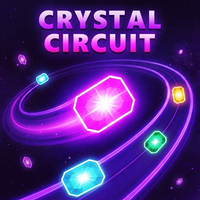
Here's a quick look at the game:
Crystal Circuit is a single-player timing and precision game where you launch glowing crystals onto a moving circuit without hitting the crystals already on the track. Your goal is to empty the waiting queue one crystal at a time. A collision shatters the crystal and restarts the level, so success depends on watching the movement pattern and choosing the right moment to launch.
What Is Crystal Circuit?
Crystal Circuit is an HTML5 skill game built around a simple rule: place every waiting crystal onto the moving circuit without causing a collision. Crystals already on the track continue moving, which means every successful launch also changes the spacing you have to work with.
You do not control a character or steer a crystal after launching it. Instead, Crystal Circuit focuses almost entirely on observation and timing. You watch the moving pieces, identify an opening, and send the next crystal into the circuit when you believe there is enough room.
A successful launch reduces the number of crystals left in your queue. Clear the complete queue and you advance to another level. Later circuits introduce faster movement, tighter spaces, and different track layouts, making the timing increasingly demanding.
Game Overview
| Feature | Details |
|---|---|
| Game | Crystal Circuit |
| Genre | Skill / Timing / Arcade |
| Players | 1 Player |
| Main Goal | Launch every queued crystal without collisions |
| Failure Condition | A crystal collides and the level restarts |
| Platform | Web browser |
| Technology | HTML5 |
| Desktop Support | Yes |
| Mobile Support | Yes |
| Touch Controls | Yes |
| Y8 Listing Date | August 18, 2026 |
| Developer | Not clearly listed |
Crystal Circuit can be played directly in a supported browser, so you do not need to download the game before starting. The browser version supports both desktop and mobile play.
How to Play Crystal Circuit
The basic Crystal Circuit loop is easy to understand, but clearing a level requires more than pressing the launch button repeatedly.
Watch the Moving Crystals
Before making your first move, look at how the crystals are traveling around the circuit. Pay attention to the size of the spaces between them rather than focusing on a single moving piece.
Your safest opportunity is usually a clearly visible gap. Launching immediately because an opening happens to pass the insertion point can be risky, especially when the surrounding crystals are close together.
Launch the Next Crystal
When a suitable opening reaches the correct position, click, tap, or use one of the supported keyboard controls to send the next crystal onto the track.
Once it joins the circuit, that crystal becomes another moving obstacle. This is what makes Crystal Circuit progressively harder within the same level: every correct move can leave less free space for the crystals that remain in your queue.
Empty the Queue
The objective is not simply to make one accurate shot. You must place every crystal in the queue successfully.
That encourages a more patient approach. An early launch into a small opening may technically succeed but leave an awkward arrangement for later moves. Watching the entire pattern can help you choose cleaner opportunities.
Avoid Collisions
If the crystal you launch hits another crystal, it breaks and the current level restarts. You then need to work through that level's queue again.
Because one mistake can erase the progress made during the current stage, Crystal Circuit rewards consistency more than rapid clicking. Taking an extra circuit rotation to check a gap is often safer than forcing a questionable launch.
Crystal Circuit Controls
Crystal Circuit supports mouse, touchscreen, and several keyboard inputs.
| Action | Control |
|---|---|
| Launch next crystal | Left Click / Tap |
| Launch with keyboard | Space |
| Alternative keyboard control | W |
| Alternative keyboard control | Up Arrow |
| Mute audio | Mute button in the top-right |
You only need a single launch action for the main gameplay, making Crystal Circuit straightforward to play on both computers and touchscreen devices.
Difficulty and Level Progression
The challenge in Crystal Circuit comes from how the available space changes as you progress. Early stages give you time to learn how a crystal enters the moving circuit and how much room is needed between pieces.
Later levels can use faster circuits, tighter gaps, and different track shapes. This reduces the time available to judge each opening and makes inaccurate launches more costly.
There is another difficulty curve happening inside each level. The circuit becomes more crowded as you successfully add crystals. The final few launches can therefore require more precise timing than the first few.
Help After Repeated Failures
Crystal Circuit includes assistance for levels that repeatedly stop your progress. After you fail the same level three times, helper options appear in the upper-left area of the game.
You can use an option to slow the circuit down, giving yourself more time to read the moving gaps. There is also an option to skip the level.
These tools are useful if one particular layout is causing trouble. Slowing the movement can also help you understand why your normal timing is failing before you try faster circuits again.
Crystal Collection and Skins
Crystal Circuit also includes collectible crystal appearances. After you unlock your first crystal, a collection drawer becomes available in the upper-right area.
From there, you can equip unlocked crystal skins and change how your pieces look. These cosmetic options do not replace the central timing challenge: you still need to find openings and clear each queue without collisions.
Tips for Playing Crystal Circuit Better
- Watch one full rotation before difficult launches. Seeing how the crystals are spaced throughout the circuit gives you more information than reacting to the first opening you notice.
- Prefer wider gaps. You do not receive an advantage for squeezing a crystal into the smallest possible opening, so use generous spaces whenever they appear.
- Do not rush after a successful launch. The spacing has just changed. Reassess the circuit before inserting another crystal.
- Focus on the insertion area. You need to know when a safe gap will reach the point where your new crystal enters the track.
- Be especially careful near the end of the queue. By then, more crystals are circulating and useful openings may be smaller.
- Use the slowdown option when necessary. If you have failed a Crystal Circuit level three times, slower movement can make the pattern easier to read.
- Treat repeated failures as timing information. If you keep crashing in the same situation, wait for a different opening instead of repeating the same launch rhythm.
Why Crystal Circuit Gets Tricky
The interesting part of Crystal Circuit is that a successful move changes the puzzle. You are not simply reacting to an unchanged obstacle pattern. Every crystal you add occupies another section of the circuit.
That creates a simple risk-management decision on nearly every launch. You can take an available opening now, or wait another rotation for a cleaner one. As the track fills, those decisions become more important because there is less margin for error.
Crystal Circuit is therefore best suited to players who enjoy short timing challenges, reaction games, and levels that can be understood immediately but require several attempts to perform consistently. It is also easy to return to for a quick browser session because the controls do not require a long tutorial.
Can You Play Crystal Circuit Online?
Yes. Crystal Circuit is available as a browser-based HTML5 game and can be played online without installing a separate desktop application.
It is listed for both desktop and mobile play, and touchscreen input is supported. On a computer, you can use the mouse or keyboard; on a phone or tablet, you can tap to launch the next crystal.
Crystal Circuit is a single-player game, so there is no confirmed competitive or cooperative multiplayer mode to configure before playing.
FAQ
Is Crystal Circuit free to play online?
Yes. Crystal Circuit can be played free through supported browser game pages such as Y8.
What is the objective in Crystal Circuit?
You need to launch every crystal from the waiting queue onto the moving circuit without colliding with crystals already on the track.
What happens when two crystals collide?
The launched crystal shatters and the current Crystal Circuit level restarts.
Can I play Crystal Circuit on mobile?
Yes. The HTML5 game supports mobile devices and touchscreen controls.
What controls does Crystal Circuit use?
You can launch a crystal by clicking or tapping, or by pressing Space, W, or the Up Arrow on a keyboard.
What should I do if a level is too difficult?
After three failures on the same Crystal Circuit level, helper buttons appear that can slow the circuit or let you skip the level.