





Play Tennis Masters 2026 online and compete in quick arcade tennis matches against the CPU or a friend, using smashes, jumps, power-ups, and precise positioning.
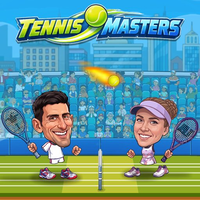
Here's a quick look at the game:
Tennis Masters 2026 is a 2D arcade tennis game built around short 1-on-1 matches, simple keyboard controls, and unpredictable power-ups. Instead of simulating tennis in detail, Tennis Masters 2026 focuses on getting underneath the ball, timing your return, choosing when to smash, and reacting when bonuses or transformations change a rally.
What Is Tennis Masters 2026?
In Tennis Masters 2026, you control a tennis character on one side of the court and try to send the ball past your opponent. You can play against a computer-controlled rival or share the same device with another player.
The basic rally is easy to understand: move into position, return the ball, and stop it from bouncing past you. Tennis Masters 2026 adds an arcade layer with jumping shots, powerful smashes, power-ups, and unusual character effects, so positioning can change quickly even during a point.
You can enter individual matches when you want a short game or use the tournament option for a sequence of CPU opponents. There is also a Quick Match option for starting with less setup.
Game Overview
| Feature | Details |
|---|---|
| Game | Tennis Masters 2026 |
| Developer | MadPuffers |
| Genre | Arcade Sports / Tennis |
| Players | 1 Player or Local 2 Players |
| Solo Modes | Tournament and Friendly Match |
| Quick Match | Available |
| Multiplayer | Local two-player on the same device |
| Power-Ups | Yes |
| Platform | Web browser |
| Devices | Desktop, mobile, and tablet support |
| Release | August 2026 |
Tennis Masters 2026 can be played directly in a compatible browser, so you do not need to install a traditional PC game before starting a match.
How to Play Tennis Masters 2026
The main challenge in Tennis Masters 2026 is not simply pressing the hit button. You need to read where the incoming ball is going and move early enough to meet it at a useful height.
Stay in Position
Try to remain close enough to the middle of your side that you can respond in either direction. Moving too far toward one edge makes it much easier for the opponent to send the next return into the open space.
After hitting the ball, start recovering your position instead of standing where your previous shot ended. This small habit makes Tennis Masters 2026 much easier once rallies become faster.
Use Normal Hits to Control the Rally
A standard hit is your safest way to keep a point alive. Move toward the ball and press the hit button as it reaches your character.
New players often try to attack every return. In Tennis Masters 2026, a controlled normal shot is usually better when the ball is low, awkward, or arriving while you are still moving into position.
Jump for High Balls
Your movement controls also allow you to jump. Jumping helps when the ball travels above a comfortable standing height and can give you another way to reach difficult returns.
Avoid jumping automatically for every shot. Landing takes time, and an unnecessary jump can leave you unable to deal with a low ball immediately afterward.
Look for Smash Opportunities
The smash is the more aggressive attacking option in Tennis Masters 2026. It works best when you are correctly positioned for a high return.
Do not treat the smash button as a replacement for the regular hit. Trying to smash from a poor position can turn a manageable rally into a lost point. Wait until the ball gives you a clear attacking opportunity.
Hit Power-Ups with the Ball
Power-ups can appear around the court during Tennis Masters 2026 matches. You activate them by directing the ball into the bonus rather than simply walking into it.
Their effects can alter movement, power, character size, or other parts of the rally. Some transformations can disrupt both players' normal timing, so you may need to change your approach immediately after a power-up activates.
Tennis Masters 2026 Game Modes
Tournament
Tournament mode gives solo players a progression-based way to play Tennis Masters 2026. You face computer-controlled opponents and attempt to continue winning as you move through the tournament.
This is a good mode once you understand movement and shot timing because mistakes matter more when you are trying to keep a tournament run going.
Friendly Match
Friendly Match lets you play a single CPU match without committing to the full tournament structure. Use it to learn how far your character moves, practice high returns, or become more comfortable with smash timing.
Quick Match
Quick Match reduces the amount of setup before a game. Tennis Masters 2026 can select players and move you onto the court quickly, making this option useful when you only want a short match.
Local 2 Player
The two-player mode lets two people compete on the same device. This is local multiplayer rather than confirmed internet matchmaking.
Because both players have separate keyboard controls, Tennis Masters 2026 works particularly well as a same-screen competitive game where both players can immediately react to each other's movement and mistakes.
Controls
The Tennis Masters 2026 browser version uses separate controls for each local player.
| Action | Player 1 | Player 2 |
|---|---|---|
| Move Left / Right | Left / Right Arrow | A / D |
| Jump | Up Arrow | W |
| Hit | X | L |
| Smash | Z | K |
Some hosted versions may arrange player assignments differently, but movement, jumping, regular hits, and smashes remain the core actions.
For solo play, concentrate first on movement + hit. Once you can consistently reach the ball, start adding jumps and smashes instead of trying to use every action immediately.
Tips for Tennis Masters 2026
- Recover toward the center. After returning the ball, move away from the extreme edge of the court so you can cover both directions.
- Move before the ball arrives. Waiting until the last moment often forces you into an awkward jump or poorly timed swing.
- Do not smash every high-looking ball. A smash is strongest when your position is already good. A safe return is better than missing completely.
- Use jumps selectively. Jump for balls that actually require extra height. Staying grounded makes it easier to respond to low returns.
- Watch the power-ups without chasing everything. Moving out of position just to activate a bonus can give your opponent an easier point.
- Expect the rally to change after transformations. If a power-up changes movement speed or character size, adjust your timing rather than continuing with the same rhythm.
- Practice in single matches first. Friendly Match is useful for learning the controls before taking Tennis Masters 2026 tournament matches more seriously.
- Watch your opponent, not only the ball. Their position can tell you which part of the court is currently exposed.
Power-Ups and Transformations
Power-ups are one of the main differences between Tennis Masters 2026 and a conventional tennis simulation. They introduce effects that can change movement or temporarily alter the characters involved in a rally.
This creates an extra decision: should you aim for the power-up or simply make the safest return? If reaching a bonus forces you to send an easy ball toward your opponent, taking it may not be worthwhile.
Strong Tennis Masters 2026 play therefore combines basic tennis positioning with awareness of what is happening around the net. The best choice is not always the most aggressive one.
Why Tennis Masters 2026 Is Easy to Pick Up
Tennis Masters 2026 uses only a few actions, so you can understand the basic controls within your first match. The depth comes from using those actions at the right time.
Movement affects whether you can reach the return. Jumping changes which balls you can intercept. Smashes reward good positioning, while power-ups can suddenly interrupt an otherwise predictable exchange.
That makes Tennis Masters 2026 suitable for quick browser sessions, solo tournament attempts, and same-device matches with another player. You do not need to learn complex tennis simulation controls before you can start competing.
FAQ
Can I play Tennis Masters 2026 online?
Yes. Tennis Masters 2026 is available as a browser game and can be played without installing a standard desktop game.
Is Tennis Masters 2026 a two-player game?
Yes. Tennis Masters 2026 includes a local two-player mode where two people can share the same device and use separate controls.
Does Tennis Masters 2026 have online multiplayer?
Internet-based matchmaking is not clearly listed. The confirmed multiplayer option is local two-player play on the same device.
Can I play Tennis Masters 2026 alone?
Yes. You can compete against computer-controlled opponents, including through Friendly Match and Tournament modes.
How do power-ups work in Tennis Masters 2026?
You activate power-ups by hitting them with the tennis ball, which can trigger temporary bonuses or unusual transformations during the rally.
How do I smash in Tennis Masters 2026?
Get into position underneath a suitable high ball and use the smash button—Z for Player 1 or K for Player 2 in the commonly listed Tennis Masters 2026 control layout.