





Play Zombie Battle Royale, a browser survival shooter where you loot weapons, fight zombies and rivals, and escape a constantly shrinking safe zone.
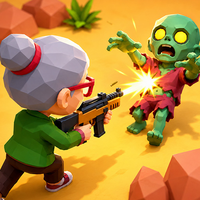
Here's a quick look at the game:
What Is Zombie Battle Royale?
Zombie Battle Royale is a 3D browser-based survival shooter that combines zombie combat with the last-survivor rules of a battle royale. You enter an arena filled with hostile zombies and rival survivors, search for useful equipment, and try to stay alive as the playable area becomes smaller.
The main objective is simple: survive until you are the last one standing. Getting there requires more than shooting everything you see. You need to find weapons quickly, watch where enemies are moving, avoid being trapped by zombies, and keep relocating before the shrinking safe zone puts you in danger.
Combat includes guns, close-range attacks, grenades, and a quick dash activated by an energy drink. That gives you several ways to react when another survivor appears or a group of enemies blocks your route.
How to Play Zombie Battle Royale
At the beginning of a match, start moving through the arena and look for weapons and useful loot. Being armed early gives you more options when you encounter zombies or another survivor.
Keep an eye on the safe zone while exploring. The available area gradually shrinks, forcing the remaining survivors closer together. Staying in one distant corner for too long can leave you with a difficult run back toward safety.
When fighting, decide whether the situation calls for ranged fire, a melee strike, a grenade, or simply moving away. Guns let you attack from a safer distance, while melee attacks provide an alternative when an enemy gets too close. Grenades can help when several threats occupy the same area.
Your energy drink works differently from ordinary loot: it gives you a quick forward dash. Use it to escape incoming danger, close the gap on a target, or reposition when the safe zone is moving against you.
PC Controls
| Action | Control |
|---|---|
| Move | WASD |
| Shoot | Left Mouse Button |
| Melee attack | Right Mouse Button |
| Throw grenade | E |
| Energy drink / quick dash | R |
Mobile Controls
On touchscreen devices, use the left joystick to move. Separate on-screen buttons let you fire your weapon, perform a melee attack, throw a grenade, and activate the energy-drink dash.
Weapons, Loot, and Combat Choices
Searching the arena is an important part of Zombie Battle Royale because better equipment can make later encounters easier to handle. Instead of rushing directly toward every opponent, check nearby areas for weapons and useful pickups while you still have enough space to move freely.
Ranged weapons are generally useful when you can keep some distance between yourself and a threat. If an opponent reaches close range, the melee attack gives you another combat option without changing the basic movement controls.
Grenades are especially useful when enemies are grouped together or when you need to pressure someone out of a position. Since your supply and opportunities may be limited, avoid throwing them without a clear target.
Surviving the Shrinking Arena
The shrinking safe zone changes the rhythm of every match. Early on, you have more freedom to explore and collect equipment. Later, the reduced space creates more frequent encounters with zombies and surviving rivals.
Try to move toward safety before the zone forces you into a rushed escape. Entering the next safe area early can give you time to choose a better route and prepare for approaching opponents instead of fighting while running from the boundary.
Your dash can be particularly valuable during these transitions. A quick burst of movement may help you reach cover, avoid an attack, or get through a dangerous section without staying exposed for long.
Tips for Lasting Longer
- Loot early: Find a useful weapon before looking for unnecessary fights.
- Keep moving: Standing still makes it easier for threats to surround or approach you.
- Track the safe zone: Start relocating before you are forced into a bad route.
- Save your grenade for crowded situations: It is more useful when enemies have limited room to escape.
- Use the dash tactically: Press R on PC when you need rapid repositioning rather than wasting it during safe movement.
- Do not ignore melee attacks: The right mouse button gives you a backup option when an enemy is already at close range.
Zombie Battle Royale keeps its controls straightforward while making positioning increasingly important as the arena closes. Loot what you need, choose your fights carefully, and stay ahead of the zone if you want to reach the final confrontation.